Key takeaways
- Paste the full posting, choose Tailor resume, and the finished resume opens in about a minute.
- Each tailored resume uses one credit, and free accounts start with 5.
- Only what is in your profile is reordered or reworded, so nothing is invented. Employers, titles, dates and education are copied unchanged.
- Read the matched keywords, the gaps and the change notes before you download. That minute of reading is the quality check.
In this guide
- Before you start
- Tailor a resume, step by step
- The Tailor page, part by part
- What to paste, and how much
- What you get back
- Two worked examples from different fields
- Check the result before you use it
- Tailoring again
- Settings that shape the result
- When not to tailor
- A week of ten applications
- Troubleshooting
- Next step
Tailoring is the part of SnugCV most people come for: you give it a job posting and it gives you back a resume written for that role, from your real experience. This guide walks through each step on the web app, what to paste and how much, what comes back, and what to do when something does not go as expected.
If you would rather do it on the job page itself, see how to tailor from LinkedIn, Indeed and other job pages. If you are not sure it is worth the effort, read why tailor a resume for each job first.
Before you start
You need a saved profile with your name and at least one job in it. Without those, the Tailor page shows a notice with two buttons, Upload resume and Edit profile, and the Tailor resume button stays off. If you have not built a profile yet, start with how to upload your resume and build a reusable profile.
The profile matters more than any other part of the process. A tailored resume is built only from what the profile holds. A profile with one-line bullets gives the tailoring little to reword, and a job missing from the profile is missing from every resume. Spend the time on it once and every resume after benefits.
Free accounts start with 5 credits, and each tailored resume or cover letter uses one. SnugCV credits and Pro explains what else uses a credit.
Before your first tailoring
0 of 5 done
Tailor a resume, step by step
- Open Tailor resume from the sidebar, or use the button at the top right.
- Paste the full job description into the box. Include both the responsibilities and the requirements.
- If you like, open Add job title, company, or link. These are optional because SnugCV detects them from the posting.
- Choose Tailor resume.
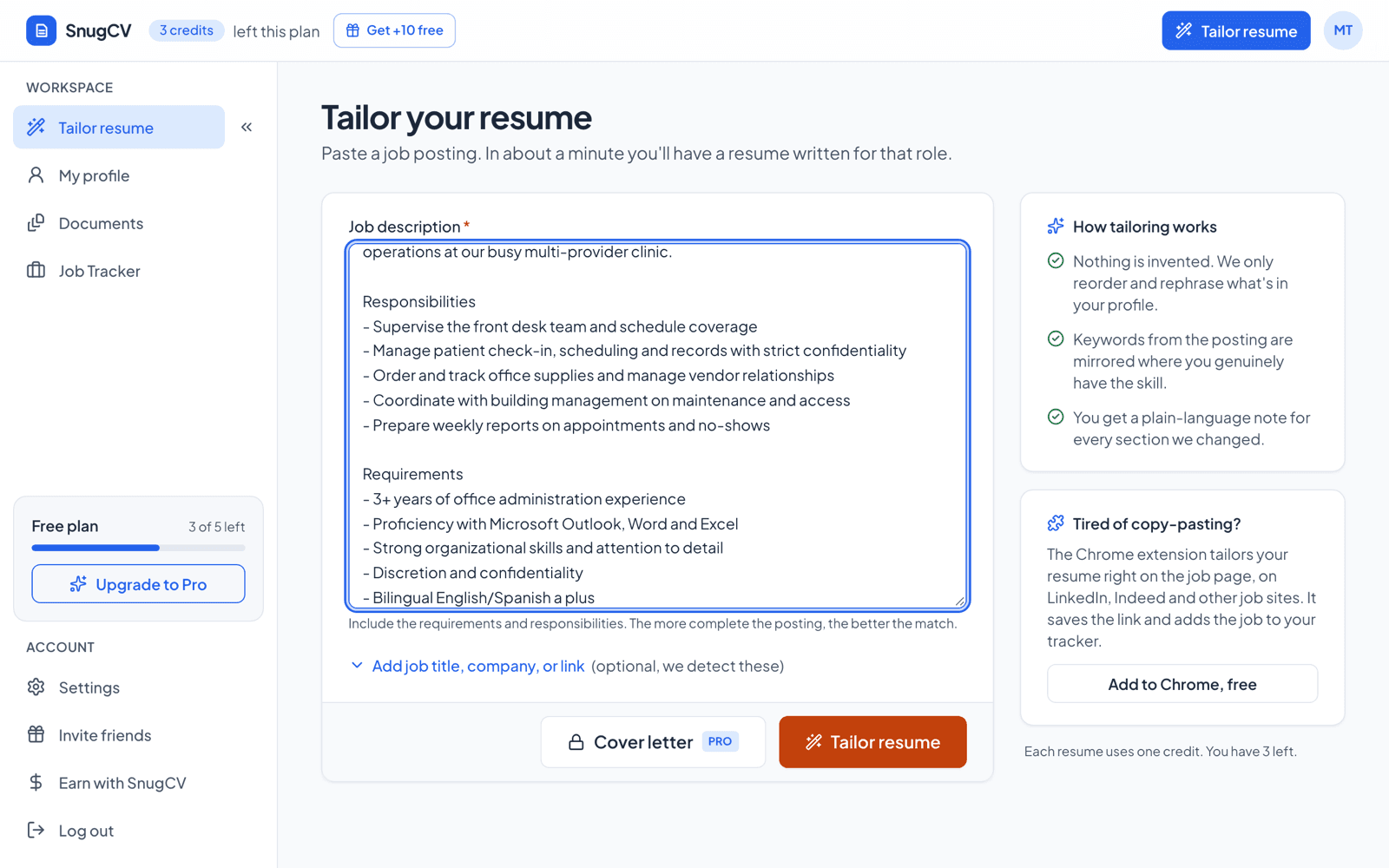
About a minute later the finished resume opens as a document, with a plain-language note for every section SnugCV changed. The job is also added to your job tracker. While it works, the page moves through three stages: Reading the posting, Tailoring your resume and Saving. Keep the tab open until the document appears.
- 1
Paste
The full posting goes in the job description box.
- 2
Tailor
Choose Tailor resume and keep the tab open.
- 3
Read
Check the matched keywords, gaps and change notes.
- 4
Download
Edit anything that is off, then save the PDF.
The Tailor page, part by part
The page has few controls, and each one has a reason. Knowing what each does makes the troubleshooting section later easier to follow.
- 1
Paste the full job description here
Job description box
Required. The page asks for at least 80 characters and tells you to paste the full posting if you give it less. Include responsibilities and requirements.
- 2
Add job title, company, or link (optional, we detect these)
Add job title, company, or link
Closed by default. Use it when the posting does not name the company, or when you want the link saved with the job. A title or company you type is used in place of the detected one.
- 3
Tailor resume
Tailor resume button
Uses one credit on the free plan. It stays off until the profile is ready, while the page is already working on a document, and when a free account has no credits left.
- 4
Cover letter
Cover letter button
Writes a matching letter from the same posting. On the free plan it uses one credit, like a resume.
- 5
Nothing is invented. We only reorder and rephrase what's in your profile.
How tailoring works panel
Three short promises on the right of the page. The credit line under them shows how many credits you have left, or that your plan includes tailoring within fair use.
What to paste, and how much
Paste the posting as it appears on the page, not a summary of it. Postings often bury the most useful lines in the requirements list, and those lines get read closely. Everything the employer wrote about the job is useful: the title, the opening paragraph, the duties, the requirements and the preferred list. These are the same parts a keyword pass by hand would mark.
Here is the kind of posting the example above uses:
Posting pasted in the screenshot above
Front Office Manager. Supervise the front desk team and schedule coverage. Manage patient check-in, scheduling and records with strict confidentiality. Order and track office supplies and manage vendor relationships. Requirements include proficiency with Microsoft Outlook, Word and Excel, strong organizational skills, and discretion and confidentiality.
What you can leave out
You do not need to trim the legal paragraphs. SnugCV drops paragraphs that are pure hiring boilerplate, such as equal-opportunity statements and similar notices, before it reads the posting. Benefits and company history are harmless to include. They add length and little the tailoring needs.
Short postings, long ones and awkward ones
| What you have | What to do |
|---|---|
| A full posting with duties and requirements | Paste it all. This gives the best result |
| A few lines from a recruiter message | Paste it, then look for the fuller posting on the company's careers page and paste that instead |
| One page that lists several roles | Paste only the part for the role you want |
| A posting in a PDF | Copy the text out of the PDF. If you can only get an image, retype the duties and requirements |
| A posting in another language | Paste it as it is. The resume follows the posting's language unless you set a resume language in Settings |
| A very long page | The limit is 40,000 characters, far more than any posting. If you see a message that the result was cut off, trim the company history and benefits |
What you get back
The resume that opens is built from your profile. The summary is rewritten to lead with what the posting asks for. Your skills are reordered so the relevant ones come first. Bullets are reworded in the posting's language where your experience supports it. Your employers, titles, dates and education are copied from your profile unchanged.
| Part of the resume | What happens |
|---|---|
| Summary | Rewritten for this posting, in three or four sentences |
| Skills | Reordered so the ones the posting asks for come first. Skills that clearly do not apply to this posting may be left out of this version. Your profile keeps them |
| Bullets under each job | Reworded in the posting's terms where your experience supports it. The same number of bullets or fewer, with your numbers and outcomes kept |
| Employers, titles, dates | Copied from your profile unchanged |
| Education, certificates, languages | Copied unchanged |
| Name, contact details, links | Copied unchanged |
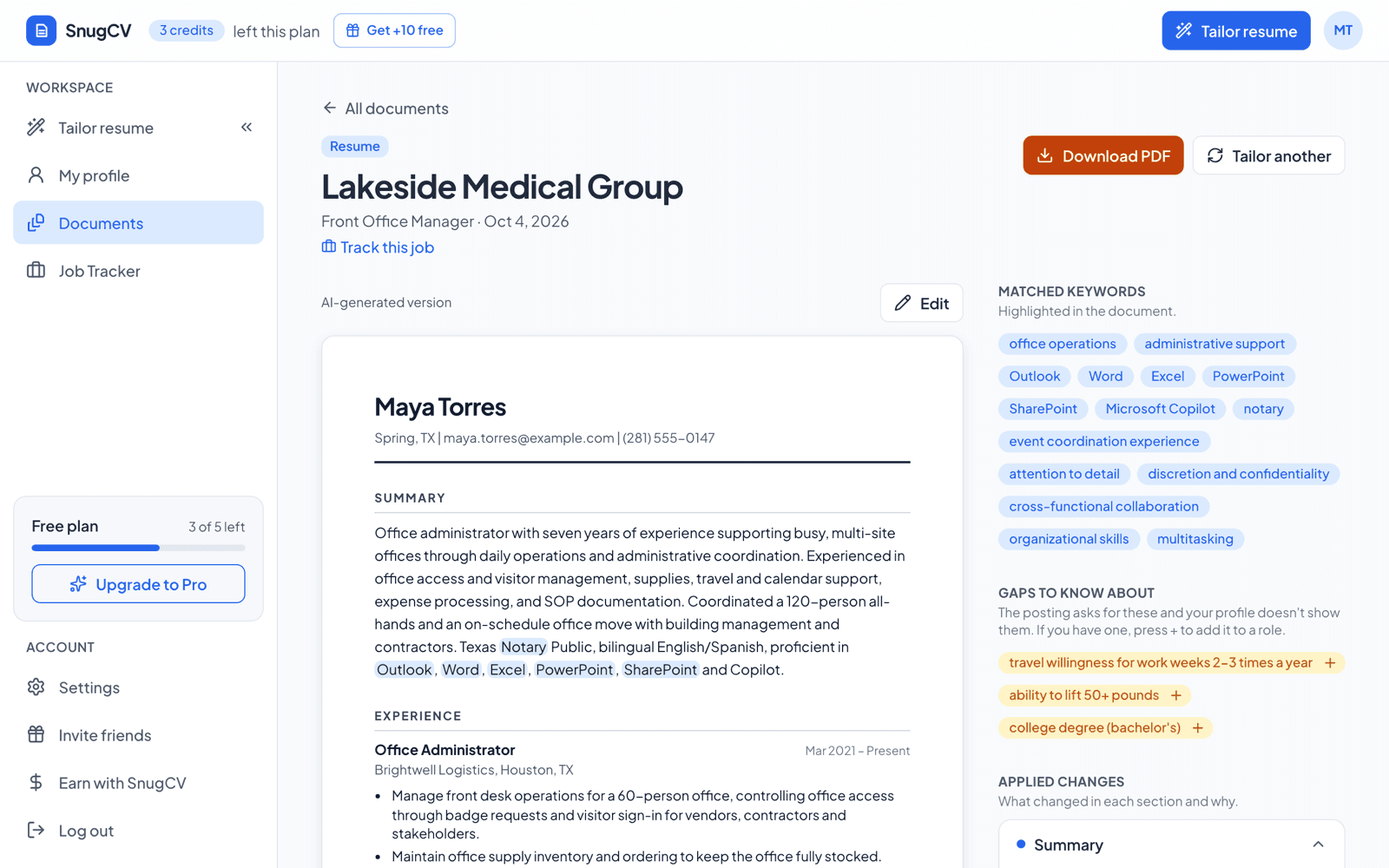
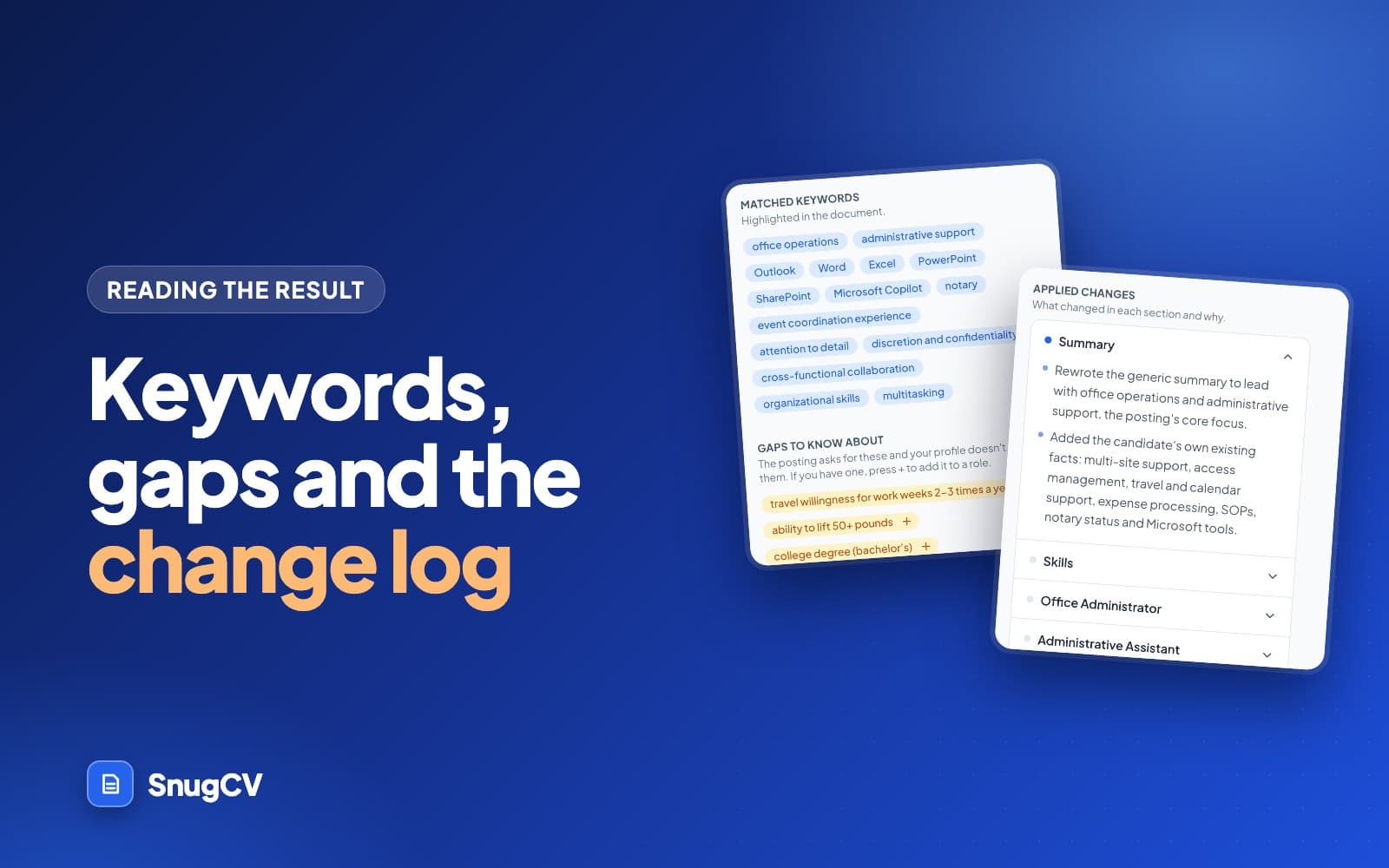
Beside the document are two lists and a change log. Matched keywords are the posting's terms that now appear in your resume. Gaps to know about are things the posting asks for that your profile does not show. A gap is listed and left alone: the missing skill is never written into the resume. To understand everything on that screen, read how to read your tailored resume.
Header
Maya Torres
Summary
Skills
Experience
Education
- 1Summary: rewritten to open with what this posting asks for.
- 2Skills: the same skills from your profile, ordered by relevance to the posting.
- 3Bullets: the same facts in the posting's words, never more bullets than your profile had for that job.
Two worked examples from different fields
These examples are made up. They show the kind of change tailoring makes, so you know what to look for in your own result. The second line in each pair uses the posting's words for facts the person had already written down.
A pharmacy technician
Maya Torres has three years at a hospital outpatient pharmacy. She is applying to a neighborhood pharmacy.
Posting excerpt (made up)
Pharmacy Technician, Harbor Street Pharmacy
Fill and label prescriptions accurately. Resolve insurance claim rejections and keep patient records current. Rotate stock and check expiry dates on inventory. Assist patients at pickup and refer clinical questions to the pharmacist. Technician certification preferred.
Before
Dealt with insurance problems when a claim got rejected, calling the insurer and fixing the patient's record.
After
Resolved rejected insurance claims by contacting insurers and correcting patient records.
Claim rejections is the posting's phrase. The two actions are the same ones Maya wrote.
Before
Put stock away and checked the dates on the shelves.
After
Rotated stock and checked expiry dates on shelf inventory.
Rotating stock and expiry dates are the posting's terms for work she already did.
Before
Talked to patients when they picked up and passed any medical questions to the pharmacist.
After
Assisted patients at pickup and referred clinical questions to the pharmacist.
Shorter, and the line now mirrors a duty the posting names.
The posting prefers a technician certification and Maya's profile has none. That is the kind of item the gaps list is for. The resume does not claim it, and she decides whether the rest of her experience is enough to apply.
A maintenance technician
Devon Hart repairs heating and plumbing in apartment buildings. He is applying to maintain a hotel.
Posting excerpt (made up)
Facilities Maintenance Technician, Lakeside Inn
Respond to work orders from guest services. Perform preventive maintenance on boilers, plumbing and lighting. Keep a maintenance log. Follow lockout and safety procedures. Refrigerant handling certification a plus.
Before
Took repair requests from tenants and fixed heating and plumbing problems.
After
Responded to tenant work orders and repaired heating and plumbing faults.
Work orders is the posting's word for repair requests. Use it only if your employer had them in some form.
Before
Did the monthly boiler checks and changed the filters.
After
Performed monthly preventive maintenance on boilers and changed filters.
Preventive maintenance is the label for checks done on a schedule. The monthly boiler checks are his own.
Before
Wrote down what I fixed.
After
Kept a maintenance log of completed repairs.
Log is the posting's word. Same habit, a more precise name.
Check the result before you use it
The result is a draft until you have read it. You are the one who has to explain every line in an interview, so a short review pays for itself.
A two-minute review
0 of 5 done
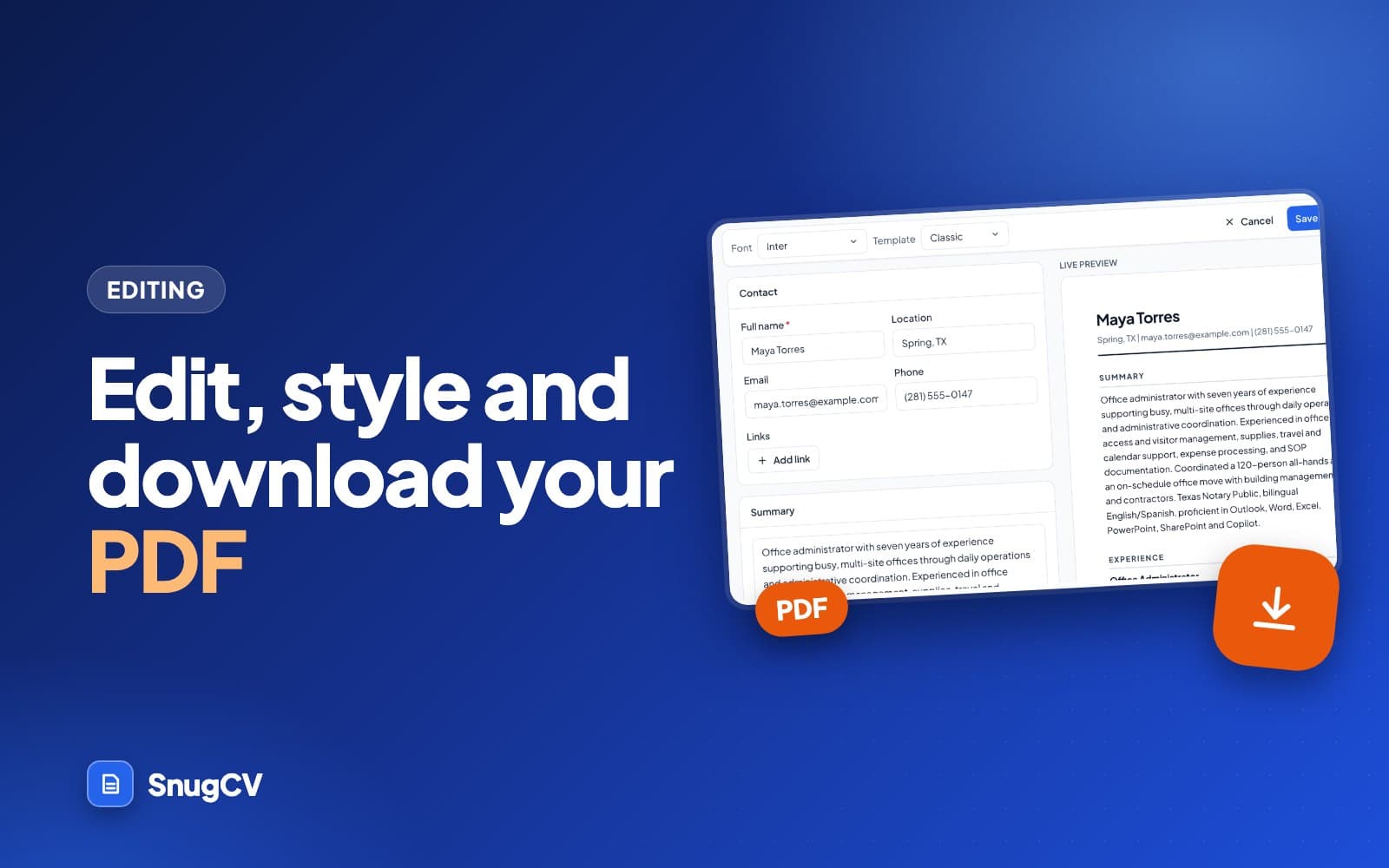
If a line is close but not right, edit it in the document. How to edit your tailored resume and download it as a PDF covers editing, reverting and the PDF.
Tailoring again
You will tailor again more often than you expect. Common reasons:
- You added a missing job or detail to your profile and want it used.
- You pasted the wrong text, or a thin version of the posting.
- You are applying to a different role at the same company, or a similar role elsewhere.
- You changed the template, font or language in Settings and want a fresh resume with them.
Choose Tailor another from a finished document, or Tailor again on the job's page in the tracker. Both open the Tailor page. If you give the same link in the optional details, the existing tracker entry is updated and the new document appears in its list. Without a link, each run creates a new entry. Each run uses one credit.
For small changes, such as one bullet you would put differently, edit the document. Editing is free and it keeps the other parts you already approved.
Settings that shape the result
A few settings change what every new resume looks like. They apply to each resume you tailor from then on.
| Setting | What it controls |
|---|---|
| Template | The layout of the resume and the PDF |
| Font | Inter, Arial or Times New Roman |
| Section order | Which sections come first, such as summary before employment history |
| Resume language | Automatic follows the posting's language. You can also pick English, British English, Polish, German, French, Spanish or Serbian |
| Match the posting's tone | A Pro setting. Off means a neutral professional tone |
How to choose your resume template, font and section order helps with the first three, and how to make a resume in Spanish, German, French, Polish or Serbian covers the language setting.
When not to tailor
Tailoring takes a credit and a few minutes of reading. It earns that back on roles you want and can reasonably get. It does less for others.
Tailor when
- You would be glad to get the job and you meet most of the requirements
- The posting names things your current resume buries or words differently
- You have changed your profile since the last tailoring
- You have time to prepare an example for each keyword before an interview
Skip or wait when
- The posting needs a license or certification you do not hold, and it is a hard requirement
- Your profile is thin or out of date. Fix it first, or every result will be thin too
- Two postings ask for nearly the same thing and the first result already answers both
- You are applying out of habit to a role you would not accept
For the wider question of when one resume is enough, why tailor a resume for each job has a fuller guide.
A week of ten applications
A job search often comes in bursts: a list of postings, a deadline and a few evenings. One document is made at a time, and a new one waits for the running one to finish, so the pace is about one a minute or two, with reading in between. Here is a plan for ten applications in a week. It is one possible plan, not a rule.
Sunday, 20 minutes
List the ten postings. Cross off any with a hard requirement you cannot meet. Sort the rest by closing date.
Monday and Tuesday
Tailor four. For each one, read the matched keywords, gaps and change notes, fix anything off, and download the PDF.
Wednesday
Send the four applications. Set each to Applied in the job tracker and add a line to the notes.
Thursday
Tailor and send the next four with the same routine.
Friday
Do the last two, then open the Active tab of the tracker to see what needs a follow-up.
Ten resumes use ten credits on the free plan. Free accounts start with 5, and Pro includes unlimited tailoring within a fair-use limit of 125 a month, so a week like this fits Pro, a credit pack, or the free credits spread over a longer stretch. The Chrome extension removes the copy and paste when you work from the job pages themselves, and the job application tracker keeps the ten straight.
Do
- Review each result before starting the next, while the posting is still fresh
- Tailor in the order you plan to apply, so nothing sits finished and unsent
- Put what you learn about a posting in its tracker notes, not in your head
Avoid
- Tailor all ten and read none of them, then send in a rush
- Send a resume you edited without reading the changes again
- Reuse one tailored resume for a different role without checking the keywords
Troubleshooting
Most problems come with a message on the Tailor page. Here are the common ones and what they mean.
| What you see | Why | What to do |
|---|---|---|
| Tailor resume is greyed out | The profile lacks a name or a job, the page is already working on a document, or a free account has no credits left | Open Profile and add what is missing, wait for the document to finish, or check the credit line beside the form |
| Paste the full posting. We need at least 80 characters | There is too little text | Paste the whole posting, including the body under the title |
| A document is already being generated | One document is made at a time | Wait for it to finish, then start the next |
| You have hit the hourly limit | There is a cap on documents per hour | Come back later and use the time to review what you have |
| The tailored resume was cut off | The posting was too long for one result | Remove company history, benefits and repeated paragraphs, then try again |
| Generation failed. Your credit was refunded | Something went wrong while writing | Choose Try again. A failed attempt is not charged |
| The result barely differs from your old resume | The profile bullets are thin, or the posting is generic | Add detail to the profile, such as tools, volumes and outcomes, and tailor again |
| The company or title is wrong | They were detected from the posting text | Edit them on the job's page, or fill in the optional fields next time |
| The resume is in the wrong language | It follows the posting's language by default | Set a resume language in Settings |
Next step
Open your result and go through the keywords, gaps and change notes. Then edit and download your resume as a PDF. If you want a cover letter for the same posting, how to write a tailored cover letter shows how, and autofill job applications covers the application form that follows.
Questions people ask
How long does tailoring take?
About a minute from pressing the button to a finished resume. The page shows three stages, Reading the posting, Tailoring your resume and Saving, and asks you to keep the tab open. The document opens by itself when it is ready, so you do not need to refresh anything.
Does tailoring cost a credit?
On the free plan, each tailored resume or cover letter uses one credit. Free accounts start with 5, and Pro includes unlimited tailoring within a fair-use limit of 125 a month. If a generation fails, the document shows as failed and the credit is refunded. Editing and downloading a resume you already made costs nothing.
How much of the posting should I paste?
All of it. Include the title, the responsibilities and the requirements, because the more complete the posting, the better SnugCV can match it to your profile. You do not need to trim equal-opportunity statements and similar legal paragraphs. SnugCV skips those before it reads the posting.
Can it add skills I do not have?
No. SnugCV only reorders and rewords what is in your profile. If a posting asks for something your profile does not show, it appears under gaps so you can decide what to do about it. The missing skill is never written into the resume for you.
Can I tailor for the same posting twice?
Yes. If you tailor again with the same link, SnugCV updates the same tracker entry and lists the new document beside the old one. Each run uses a credit, so for a small fix such as one reworded bullet, edit the document instead. Editing is free.
What if the resume leaves out something important?
A tailored resume can only use what your profile holds. If a job or a skill is missing from the result, add it to your profile, or press the plus beside a gap to add a bullet under the right role, then tailor again. Only add what is true for you.
Was this guide helpful?
Get the free resume checklist and new guides
Twenty checks to run before you send a resume, as a one-page PDF. After that, a short email when new guides go up, at most once a week.