Key takeaways
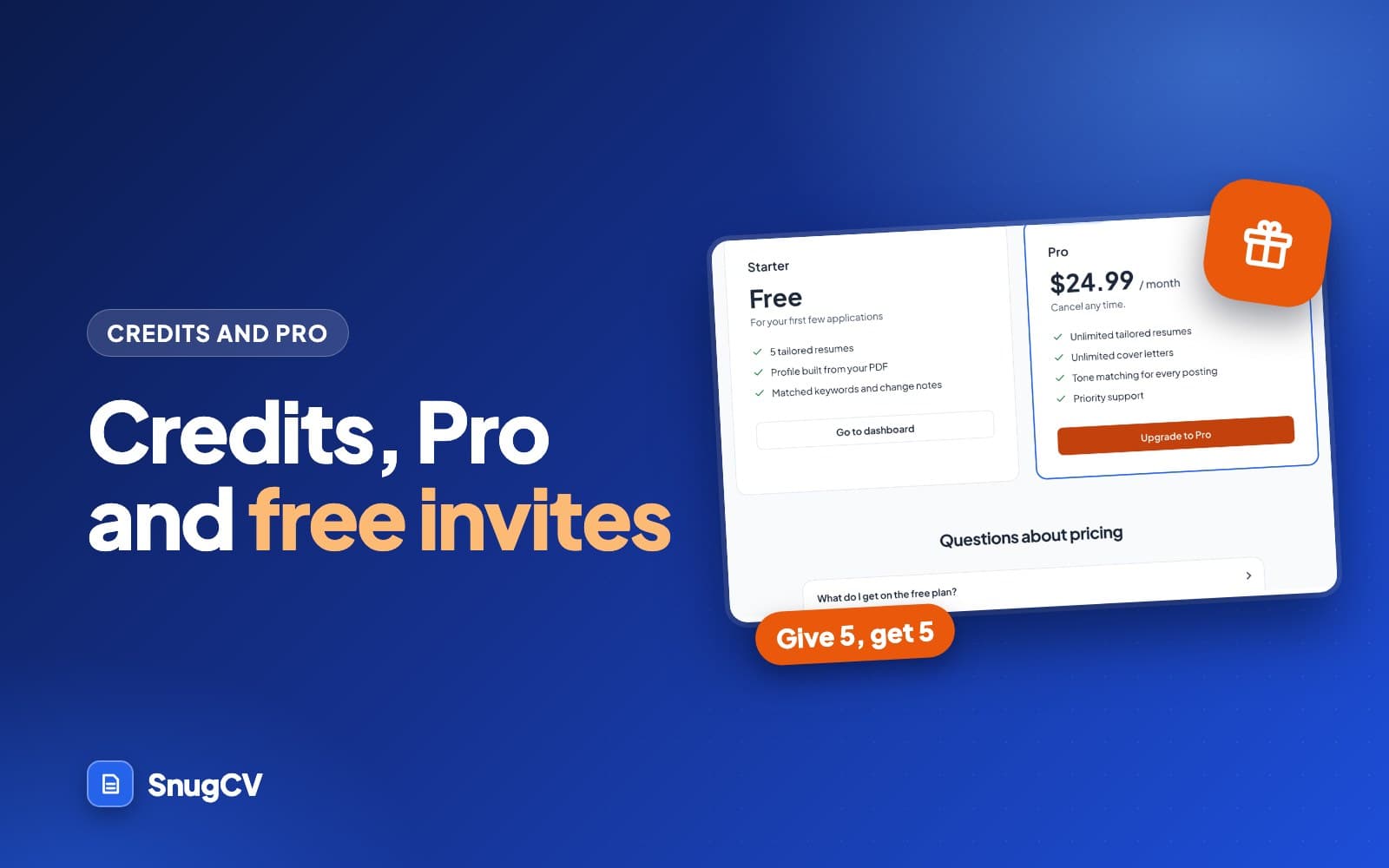
- Free accounts start with 5 credits, and each tailored resume or cover letter uses one.
- Building your profile, the change notes, editing, downloading and the job tracker are always free.
- Credit packs add 10 credits for $9 or 100 for $49, and they never expire. Invites earn more for free.
- Pro is $24.99 a month for unlimited tailoring, with a fair-use limit of 125 a month. A failed generation is returned to your balance automatically.
In this guide
SnugCV is free to start. You get a handful of tailored resumes before you need to decide whether to pay, and the rest of the product does not run out. This guide explains where credits are used, what stays free, how credit packs and the paid plans work, and how to get more credits without paying.
If you want the short version, read the table under What uses a credit and the scenarios under Which plan is right for you. The rest answers the questions people tend to ask next.
What you get free
A new account starts with 5 credits. You do not need a card. Your balance shows at the top of the dashboard, and the sidebar shows how many are left on the free plan.
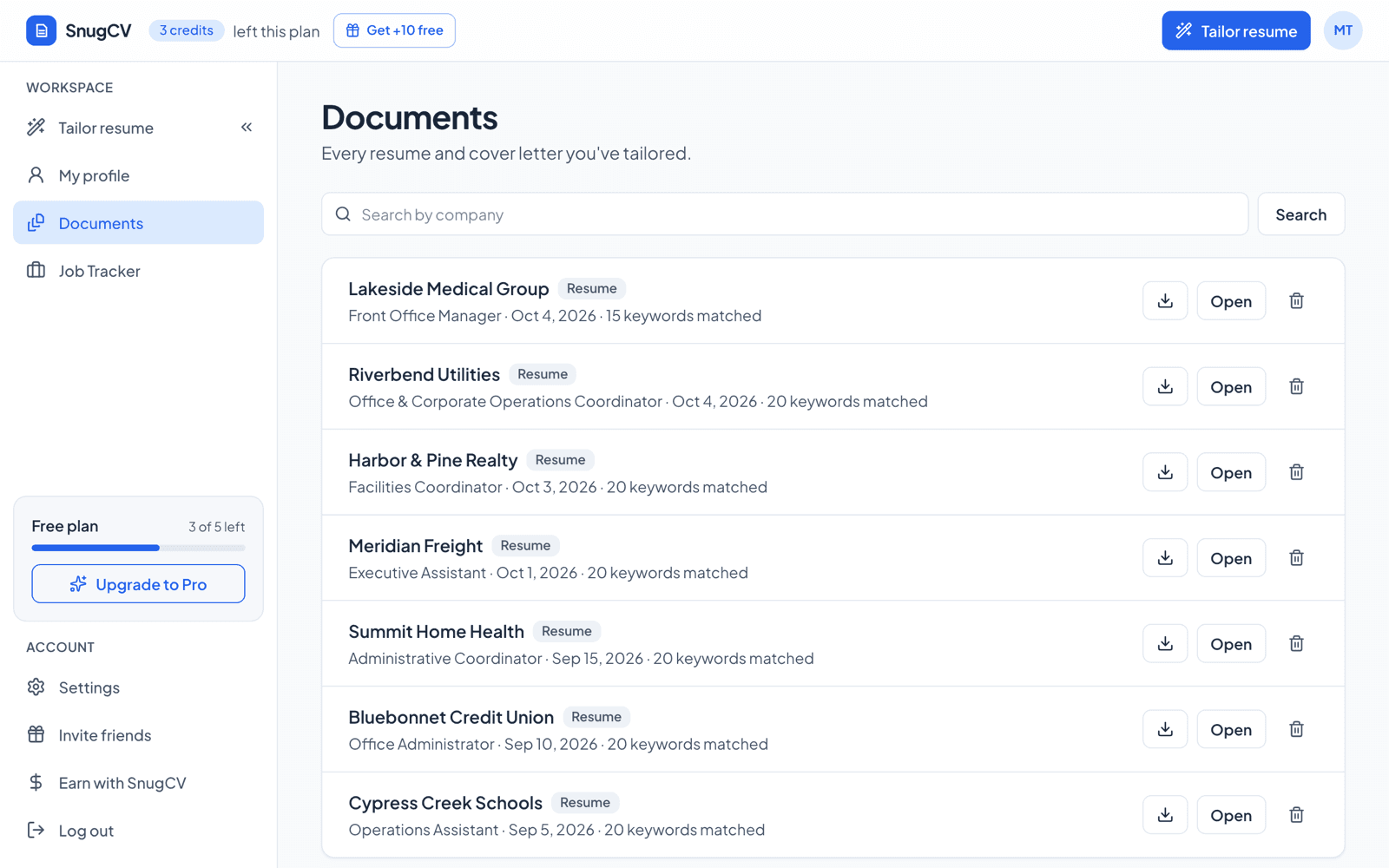
The free plan includes 5 credits for tailored resumes or cover letters, a profile built from your PDF, and the matched keywords and change notes on every resume. The job tracker is free to use as well.
The signup credits are given once, when the account is created. They are not a monthly allowance. After that the balance changes only when a resume or cover letter is made, when a failed one is returned, and when credits are added, by an invite or a credit pack.
What uses a credit
Each tailored resume or cover letter uses one credit. Tailoring from the Chrome extension uses the same credits as the web app. On a paid plan, tailoring uses no credits until you pass the fair-use limit.
| What you do | Uses a credit? |
|---|---|
| Build your profile from a PDF, or edit it | No |
| Tailor a resume in the web app | Yes, one, on the free plan |
| Tailor from the Chrome extension | Yes, one, from the same balance |
| Tailor the same posting again | Yes, one for each run |
| Read the matched keywords, gaps and change notes | No |
| Edit a document, revert to the AI version or download the PDF | No |
| Use the job tracker | No |
| Write a cover letter in the web app | Yes, one, on the free plan |
| Tailor a resume or cover letter on a paid plan | No, until you pass 125 in a billing period |
| Autofill and saved answers in the extension | Pro only |
What happens to a credit
A credit is taken when a generation starts, and returned if the generation fails.
- 1
You start a run
From the Tailor page or the extension, with a profile and a posting.
- 2
The posting is read
If it cannot be read, the run stops before a credit is taken.
- 3
One credit is taken
Paid plans are not charged until they pass the fair-use limit. Only one document is made at a time.
- 4
The resume is written
You can read it, edit it and download it for free.
- 5
If it fails
The credit goes back to your balance and the document page says so.
Because only one document is made at a time, pressing the button twice does not spend two credits. If you tailor the same posting a second time, for a different language or after you improve your profile, that is a new run and uses a credit of its own.
What is always free
- Building your profile from a PDF
- The plain-language change notes on every resume
- The job tracker
- Editing and downloading the resumes you have already made
The last item matters. A tailored resume is a draft you control. Fixing a bullet, shortening the summary or changing the font costs nothing, so you can polish a document as long as you like after the credit is spent. How to edit your tailored resume and download it as a PDF covers the edit screen.
Credit packs
If you run out and do not want a subscription, you can buy credits in a pack:
- 10 credits for $9
- 100 credits for $49
A pack is a one-off payment, not a subscription. Its credits never expire and it does not renew. Each credit is one tailored resume or one cover letter, the same as the credits you start with. You buy packs on the pricing page, and the credits are added to your balance once the payment goes through. If you change your mind, unused pack credits can be refunded within 14 days of buying them. Email support@snugcv.com.
On a paid plan, your credits wait unused. They are spent only if you pass the fair-use limit, and they stay in your account if you cancel.
What Pro adds
Pro is $24.99 a month. Your tailored resumes and cover letters stop using credits, so you can tailor for every job you apply to, up to a fair-use limit of 125 in each billing period. It also adds:
- Tone matching, which adapts the voice of your documents to the company's style
- Autofill and saved answers in the Chrome extension
- Priority support
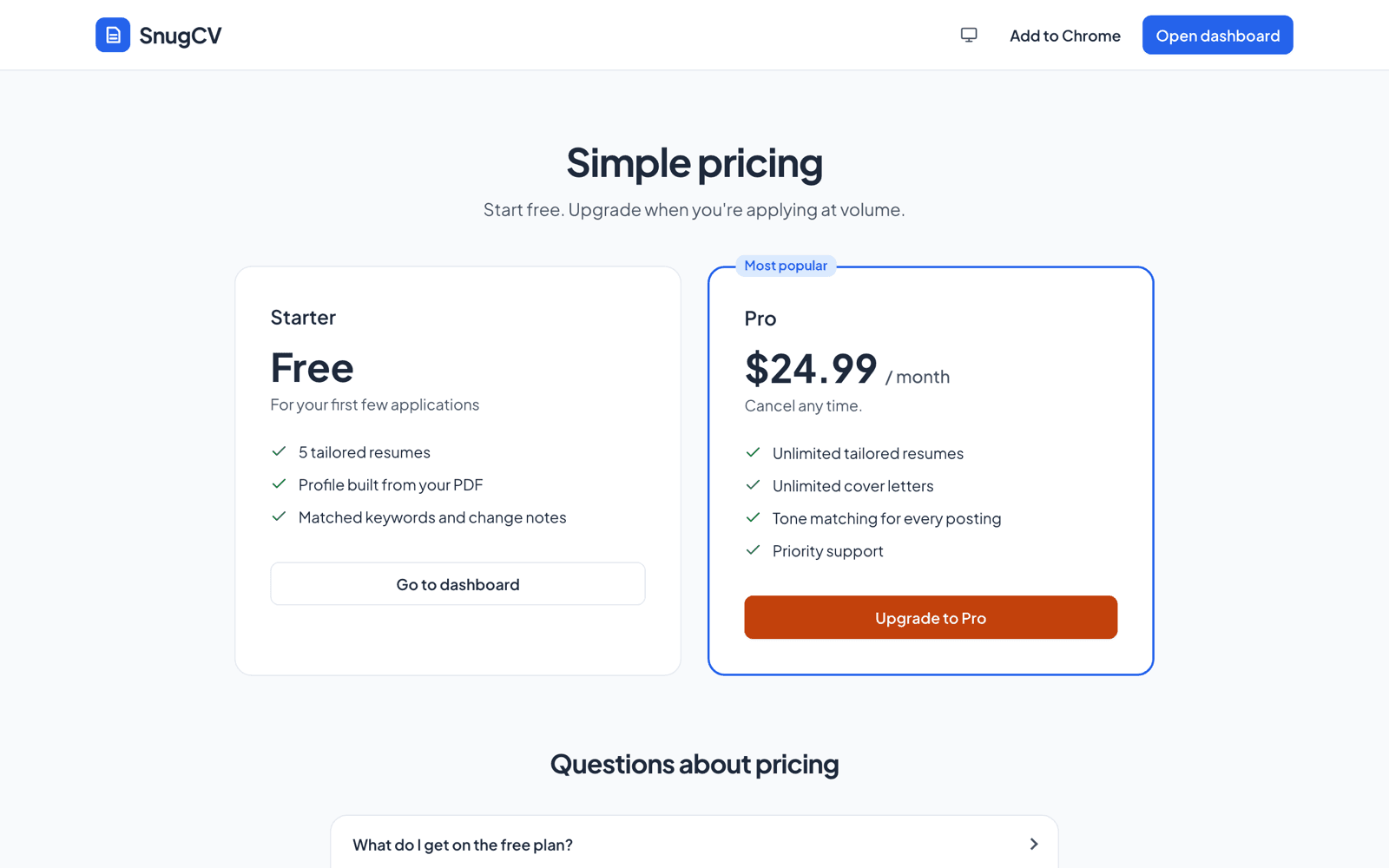
Pro is a monthly subscription billed through Stripe. You can cancel from Settings at any time and you keep Pro until the end of the period you have paid for.
The fair-use limit counts the resumes and cover letters you make yourself. Failed ones do not count. Past 125 in a billing period, each one uses a credit if you have any. If you have none, tailoring pauses until the next period starts, and the message tells you the date. If you subscribed to Pro before October 13, 2026, that subscription has no fair-use limit for as long as it stays active.
Some details that are easy to miss:
- Billing is in advance, and the subscription renews each month until you cancel. Any taxes the law requires are added at checkout, and the price is shown before you pay.
- The Billing card in Settings shows whether your plan renews or ends, and with which date. Its Manage subscription button opens Stripe, where you can update your card, download invoices or cancel.
- Pro is for your own job search. Rate limits keep SnugCV reliable for everyone, and an account that shares access or automates around them can be suspended.
Cover letters and autofill each have their own guide: how to write a tailored cover letter and autofill job applications.
The Auto-apply plans
Two plans add auto-apply on top of everything in Pro. Auto-apply finds jobs that match your search and prepares each application with its own tailored resume. It sends only the applications you approve, from your own browser.
| Plan | Price a month | Applications sent for you | Jobs found for you |
|---|---|---|---|
| Pro | $24.99 | None | None |
| Auto-apply | $49.99 | 100 a month | Every one that fits your search |
| Auto-apply Max | $99.99 | 300 a month | Every one that fits your search |
Both plans can also write AI answers to form questions if you turn that on, and a cover letter when a form asks for one.
An application counts when the site confirms it was sent, or when you mark it as applied yourself. The resumes auto-apply writes for your applications use no credits, and they do not count toward the fair-use limit. You can remove up to 20 prepared applications in a billing period on Auto-apply, or 60 on Auto-apply Max, without them counting. Past that, each prepared one you remove counts as one application.
Credits cannot pay for applications. If you use up your applications on Auto-apply, you can upgrade to Auto-apply Max that day. Auto-apply Max starts a new billing period with its full allowance. The unused part of Auto-apply is credited, and you pay the difference at once. A move to a cheaper plan works the other way: it starts when your billing period ends, and you keep your current plan until then.
How credits behave over time
A credit balance is a running total, and it is easier to see as a timeline than as a rule.
Signup
You start with 5 credits. No card is needed.
Your first resumes
Each tailored resume takes one credit. Failed runs are returned.
Invites
A friend who finishes a first resume adds credits to your balance.
The balance reaches zero
Tailoring pauses and points you to a credit pack or Pro. Your profile, documents, change notes and tracker keep working.
You buy a pack
The credits are added once the payment goes through, and they never expire.
You upgrade
Resumes and cover letters stop drawing from the balance, up to 125 in each billing period. Your credits stay in your account.
You cancel
You keep Pro to the end of the period you paid for. After that you are on the free plan with the balance you have.
How to get more credits
The quickest way is a credit pack. The free way is to invite friends.
Every account has a personal invite link on the Invite friends page. When a friend signs up through it:
- They start with 5 extra credits on top of the 5 everyone gets.
- You get 5 credits once they finish their first tailored resume.
- You can earn up to 10 invite rewards in any 30 days.
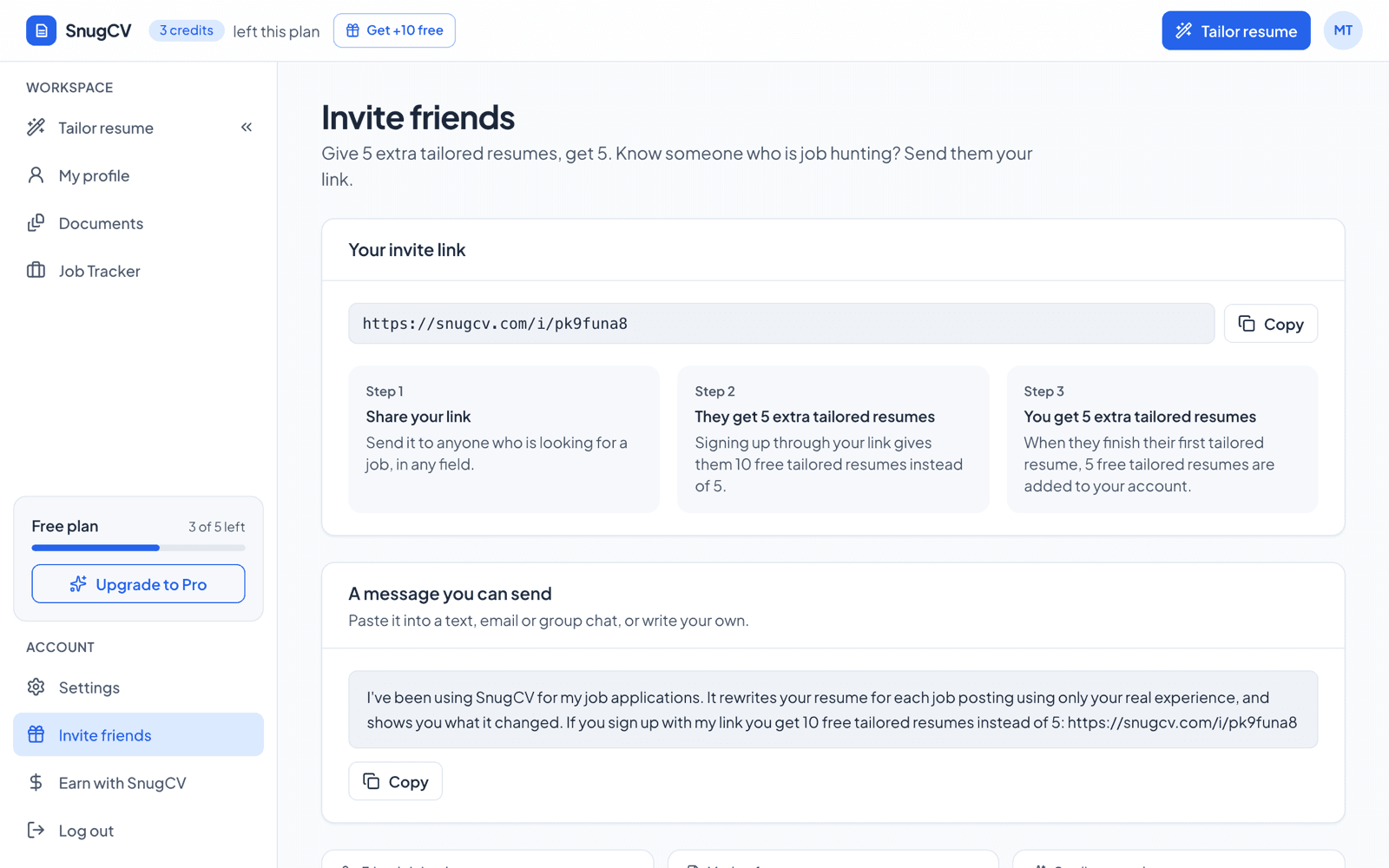
SnugCV also suggests inviting a friend after your first few resumes are done, and when a job moves to Interviewing.
A few details from the Invite friends page itself help when something looks different from what you expected:
- Each friend counts once, and only for a new account. An existing user who opens your link is not counted.
- If someone joins through an affiliate's link instead of yours, that link applies.
- Once you reach the reward limit, friends who join still get their extra credits.
- If you are on a paid plan, the credits you earn stay in your account in case you switch to the free plan.
If you are not sure what to send, a short, honest message does the job.
A message you can send to a friend
I have been using SnugCV for my job applications. It rewrites my resume for each posting using only my real experience, and it shows me every change it made, so I can check it before I send it. If you sign up with my link you start with extra free tailored resumes: [paste your link from the Invite friends page]
If you coach or write about job searching, the SnugCV affiliate program pays a commission on the payments of the people you refer, instead of credits.
Which plan is right for you
If you are applying to a handful of roles, the free credits may be all you need, and a credit pack covers a few more. If you are applying to many roles a week, or you want autofill, Pro is built for that. If you would rather approve applications than fill them in, that is what the Auto-apply plans are for. Many people use a paid plan for the weeks they are searching and cancel when they have an offer.
Free is likely enough
A short, focused search
You are applying to a few roles you care about. Spend a credit on each one, read the keywords and gaps, and edit freely. If you run short, buy a pack or invite a friend.
Pro for the weeks you need it
A busy stretch
You are applying to many roles a week and tailoring each one. Pro covers up to 125 resumes and cover letters a month, so credits stop being the limit. When you have an offer, cancel from Settings.
Pro whatever the volume
You want the extras
Autofill, saved answers and tone matching are Pro features. If those matter more to you than the count of resumes, that is the reason to upgrade.
Auto-apply or Auto-apply Max
You want applications sent for you
SnugCV finds jobs that match your search, prepares each application and sends the ones you approve. Auto-apply covers 100 applications a month and Auto-apply Max covers 300. Both include everything in Pro.
Questions that settle the choice:
- How many postings are you really going to apply to in the next few weeks? If it is fewer than your balance, you may not need Pro yet. If it is a few more, a credit pack may be enough.
- Are you filling in long forms? Autofill is the Pro feature that saves the most time.
- Is the search a sprint or a long haul? A sprint suits a month of Pro. A long, slow search suits the free credits plus invites and packs, with Pro for bursts.
- Would you rather check and approve applications than fill them in? That is what the Auto-apply plans are for.
Getting the most from free credits
Before you spend a credit
0 of 5 done
How to tailor your resume to a job posting in about a minute shows what to paste, and why tailor a resume for each job helps you decide which postings deserve a run.
Questions people ask
| What you see or wonder | What is going on |
|---|---|
| Tailor resume is greyed out | The profile is missing a name or a job, a document is being made, or a free account has no credits left. The page says which |
| My balance went down and I got an error | The credit is returned when a generation fails, and the document page says so. If the balance still looks wrong, email support@snugcv.com |
| My friend signed up and I got nothing | They need to use your link on a new account and finish their first tailored resume. An affiliate link overrides an invite link, and the reward limit may have been reached |
| Tailoring says I reached the fair-use limit | You made 125 resumes and cover letters this billing period and have no credits left. It starts again on the date shown, or right away if you buy a credit pack |
| I upgraded and the credit count disappeared | A paid plan shows your plan instead of a balance. Your credits are still in your account, and are used only past the fair-use limit |
| Can I buy a bundle of credits? | Yes. Packs of 10 for $9 and 100 for $49 are on the pricing page. They are one-off payments, and the credits never expire |
Next step
Get started with how to upload your resume and build a reusable profile.
Questions people ask
How many free resumes do I get?
You start with 5 tailored resumes. No card is needed. The credits are given once, when you sign up, and your balance shows at the top of the dashboard and in the sidebar, so you can see how many are left before you decide anything.
What uses a credit?
Each tailored resume or cover letter you generate uses one credit on the free plan. On a paid plan they use no credits until you pass the fair-use limit of 125 in a billing period. Building your profile, reading the change notes, editing and downloading a document, and using the job tracker do not use a credit.
What happens if a generation fails?
The credit is returned to your balance automatically, and the document page says so, so a failed run does not cost you a resume. If a generation fails on our side and something still looks wrong with your balance, email support@snugcv.com and we will put it right.
How do I cancel Pro?
From Settings, at any time. The Billing card there has a Manage subscription button that opens Stripe, where you can cancel. You keep Pro until the end of the period you have already paid for and you will not be charged again, and any credits you have stay in your account.
Do credits expire?
Credits you buy in a pack never expire. Nothing in how SnugCV counts your other credits depends on the date either. Your balance changes when a document is made, when a failed generation is returned, and when credits are added, by an invite or a pack. Your credits stay in your account if you switch to a paid plan and later back.
Can I buy more credits?
Yes. A pack of 10 credits is $9, and a pack of 100 is $49. A pack is a one-off payment, not a subscription, and its credits never expire. Each credit is one tailored resume or one cover letter.
Does editing or downloading a resume cost credits?
No. Editing a document, reverting to the AI version and downloading the PDF are free, as are your profile, the change notes and the job tracker. Only generating a new tailored resume or cover letter takes a credit on the free plan, including when you tailor the same posting again.
Is Pro really unlimited?
Pro has no credit limit, with a fair-use limit of 125 tailored resumes and cover letters in each billing period. Past that, each one uses a credit if you have any. If you have none, tailoring pauses until the next period starts. If you subscribed to Pro before October 13, 2026, that subscription has no fair-use limit for as long as it stays active. Rate limits also apply to keep SnugCV reliable for everyone, such as one document being made at a time and a cap per hour. Pro is for your own job search, and an account that shares access or automates around the limits can be suspended.
Was this guide helpful?
Get the free resume checklist and new guides
Twenty checks to run before you send a resume, as a one-page PDF. After that, a short email when new guides go up, at most once a week.