Key takeaways
- Keywords are the specific skills, tools, duties and titles a posting names. The ones it repeats, and the ones it calls required, matter most.
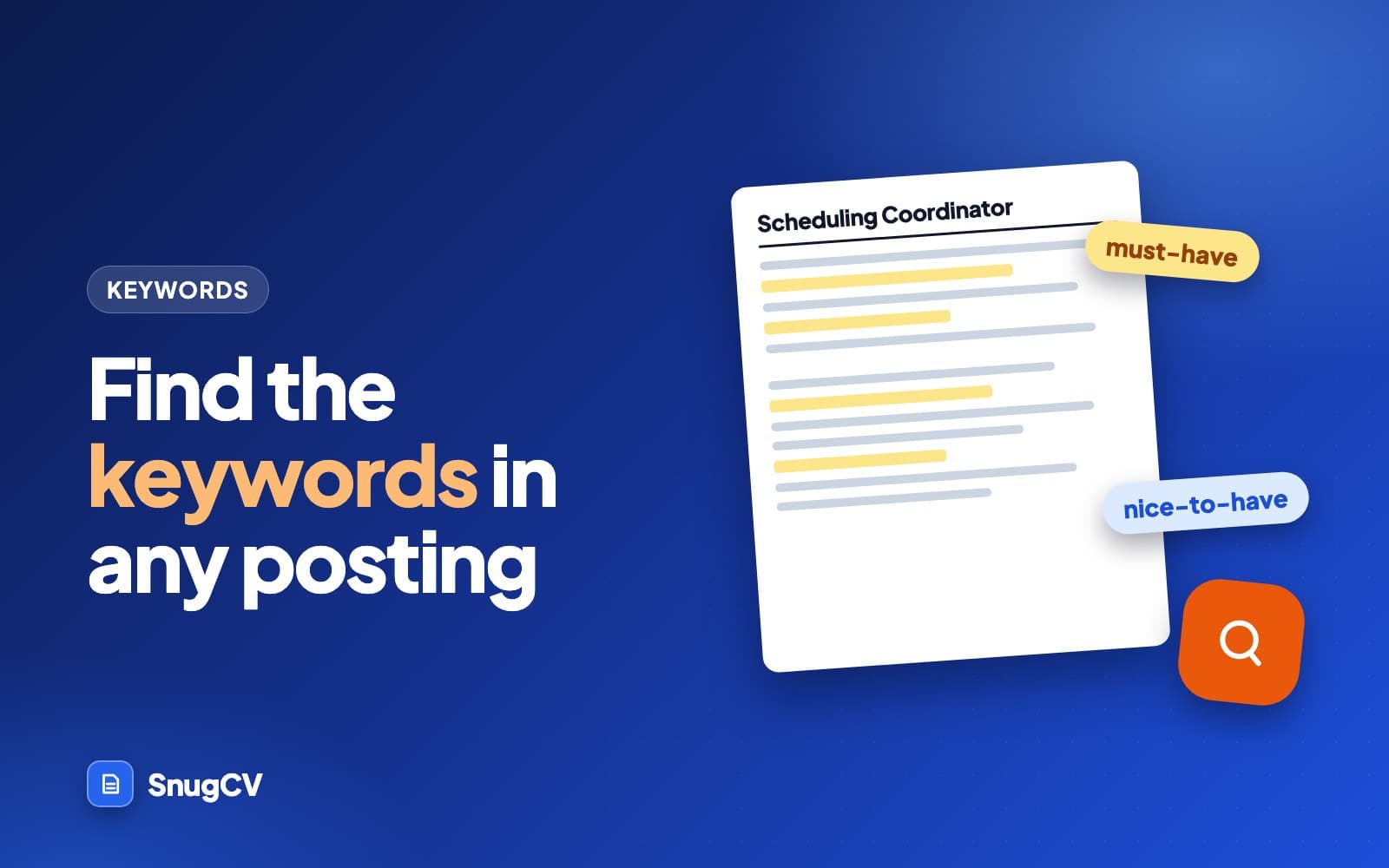
- Sort what you find into must-haves and nice-to-haves before you change a word of your resume.
- Use a keyword only where you can back it with a real example. A gap is information, so do not paper over it.
- By hand, the whole job takes 10 to 15 minutes per posting and gets faster with practice.
In this guide
- What counts as a keyword
- Why finding them is worth the time
- The method in six steps
- A worked example, start to finish
- Where keywords hide in a posting
- Exact words or close ones?
- The same method in three other fields
- How many keywords is too many
- What to do with gaps
- Mistakes that cost interviews
- A checklist you can reuse
- Doing the same thing faster
- Keep going
Every job posting is a list of what an employer wants, written in the words they chose. Your resume is a list of what you have done, written in the words you happened to use. Finding the keywords in a posting is the step that connects the two, and it is a skill you can learn in an afternoon.
This guide walks through a method you can repeat for any role, in any field, with a pencil or a highlighter. It includes one long worked example, a made-up posting for a medical scheduling job, so you can see every decision from the first read to the finished resume lines. If you want the reasoning behind tailoring first, start with why tailor a resume for each job.
What counts as a keyword
A keyword is any word or phrase in a posting that names something the employer wants to see. The word "keyword" makes it sound technical, but in practice it is a noun phrase: a skill, a tool, a duty, a credential or a title. Most postings contain a few dozen, and they fall into a handful of types.
What you do
Skills and duties
Appointment scheduling, inventory counts, lesson planning, payroll processing, patient intake, cold calling.
What you use
Tools and systems
Microsoft Excel, Epic, Salesforce, a point-of-sale system, forklift, QuickBooks, Google Classroom.
What you hold
Credentials
RN license, CDL Class A, CPR certification, bachelor's degree, forklift certification, PMP.
What you were
Titles and levels
Front desk coordinator, shift supervisor, senior accountant, assistant teacher, team lead.
How you work
Methods and standards
HIPAA compliance, Lean, Six Sigma, safety protocols, GAAP, differentiated instruction.
What results look like
Outcomes and qualities
Reduce no-shows, meet deadlines, improve customer satisfaction, attention to detail, empathy.
The first four types are the ones that matter most to a person searching a database of applicants, because they are specific. The last two matter more to a human reader, who wants to see that you understand what the job is for.
Why finding them is worth the time
Three things happen to your resume after you apply, and keywords play a part in each.
- A recruiter may search the pool of applicants in their system for a skill or a title, the same way you search your email. If your resume uses a different word for the same thing, a search for the posting's word may not show you.
- A hiring manager skims. Skimming means looking for the few terms that signal "this person has done this before". Terms that match the posting are easy to spot. Terms that do not are not.
- Some employers use screening questions or filters. A required credential or a required number of years is often the thing they filter on, and both are keywords.
How a particular company's system ranks or filters applications is not public, and it varies from one employer to the next. Treat keywords as a way to be easy to find and easy to understand. They are not a trick, and no resume is guaranteed to pass anything. For a plain-language look at what these systems do, see what is an ATS.
The method in six steps
- 1
Read it once
The whole posting, top to bottom, before you mark anything.
- 2
Mark candidates
Underline every skill, tool, duty, credential and title.
- 3
Count repeats
Tally anything that appears more than once.
- 4
Sort by importance
Must-have, nice-to-have or background.
- 5
Match to proof
Find an example in your history for each must-have.
- 6
Place them
Put each one where it is true and easy to see.
Two rules apply to every step. First, work from the whole posting, including the duties and the company description, because they contain keywords the requirements list leaves out. Second, write down only what the posting says. Do not add terms you think the employer would like.
If you have a posting open now, paste it into the free keyword finder below. It does steps 2 to 4 for you, and steps 5 and 6 stay yours.
Job description keyword finderFree
Paste a job posting to see which skills, tools and requirements it stresses, and how often. One free run, no account.
A worked example, start to finish
Here is a made-up posting for a scheduling job at a medical group. Read it once the way you would read any posting, then follow the next sections to see how the keywords come out of it. The highlighted phrases are the candidates a first pass would mark.
Job posting (made up for this guide)
Scheduling Coordinator, Cedar Valley Family Health
Cedar Valley Family Health is looking for a Scheduling Coordinator to manage appointment scheduling across our four clinics. You will keep provider calendars full, reduce no-shows, and be the first point of contact for patients by phone and in person.
What you will do
- Schedule, reschedule and confirm patient appointments using our EHR system
- Manage provider calendars across four clinic locations
- Verify insurance information and collect copays at check-in
- Handle a high volume of phone calls with professionalism and empathy
- Send appointment reminders and follow up on missed appointments to reduce no-shows
- Maintain strict patient confidentiality and follow HIPAA guidelines
What we are looking for
- 2+ years of scheduling or front desk experience, preferably in a medical office
- Experience with an EHR or practice management system (Epic or similar a plus)
- Strong phone and communication skills; bilingual English/Spanish a plus
- Comfortable with Microsoft Outlook and Excel
- High school diploma or equivalent; medical terminology knowledge preferred
Step 1: read it once
Read the posting straight through without a pen. You are trying to answer one question: what is this job, in a sentence? Here the answer is that someone keeps a medical group's calendars full and gets patients in the door without losing the paperwork. Everything you mark next should serve that sentence.
Step 2: mark the candidates
Go through again and underline every noun phrase that names a skill, tool, duty, credential, title or standard. Do not judge yet. In the example that gives roughly a dozen candidates, shown highlighted above.
Some candidates appear in two forms. "Appointment scheduling" in the opening paragraph and "schedule, reschedule and confirm patient appointments" in the duties are the same keyword. "EHR system" and "practice management system" are close relatives. Group them as you go.
Step 3: count the repeats
Repetition is the cheapest signal in a posting. An employer who mentions something three times is telling you it dominates the job. A tally for the example:
| Keyword | Where it appears | Times |
|---|---|---|
| Appointment scheduling | Title, intro, two duties | 4 |
| Phone / phone calls | Intro, duties, requirements | 3 |
| Provider calendars | Intro, duties | 2 |
| No-shows (and the reminders that reduce them) | Intro, duties | 3 |
| EHR / practice management system | Duties, requirements | 2 |
| Patient confidentiality / HIPAA | Duties | 1 |
| Insurance verification and copays | Duties | 1 |
| Microsoft Outlook and Excel | Requirements | 1 |
| Medical terminology | Requirements | 1 |
| Bilingual English/Spanish | Requirements | 1 |
Scheduling, phones and no-shows are what this job is about. A resume for this role that buries all three would be a poor fit no matter how good the rest of it is.
Step 4: sort by importance
Repeats are one signal. The words around a keyword are another. Postings use a small vocabulary to say how much they care.
| Signal | What it usually means |
|---|---|
| "Required", "must", "you will", "minimum", a number of years | The employer expects it. Missing it may end the application |
| Appears in the title or the first paragraph | The core of the job |
| Repeated in duties and in requirements | Core, and they will ask about it in the interview |
| "Preferred", "a plus", "ideally", "bonus", "familiarity with" | Helpful, rarely decisive |
| Appears once, late, in a list of tools | Background. Mention it if true |
Applying that to the example gives three tiers.
Build the resume around these
Must-haves
- Appointment scheduling
- Phone and patient contact
- Provider calendars
- Reducing no-shows and reminders
- EHR or practice management software
- 2+ years in scheduling or front desk
- Patient confidentiality and HIPAA
Include if true
Strong supporting
- Insurance verification
- Collecting copays at check-in
- Microsoft Outlook and Excel
- High call volume
A bonus, not a gate
Nice-to-haves
- Epic specifically
- Bilingual English and Spanish
- Medical terminology
- Medical office setting
Notice that "Epic or similar a plus" splits in two. The category, an EHR or practice management system, is a must-have. The brand name is a bonus. That distinction shows up often: a posting names a famous product, and what it really needs is someone who has used that kind of product.
Step 5: match each must-have to proof
Now turn to your own history. For each must-have, write down one real example. Here is the history of Jordan Ellis, a made-up applicant, three years at a dental office front desk and two before that at a hotel:
| Keyword from the posting | Honest evidence from Jordan's history | Verdict |
|---|---|---|
| Appointment scheduling | Booked and rebooked patient appointments daily at a dental office, three years | Strong |
| Phone and patient contact | Main phone line plus walk-in check-in at the dental office; hotel reservations line before that | Strong |
| Provider calendars | Kept two dentists' and three hygienists' schedules in the practice software | Strong |
| Reducing no-shows | Called patients to confirm the day before, filled cancelled slots from a waitlist | Strong, no hard number available |
| EHR / practice management | Used a dental practice management system daily. Never used Epic | Partial: same kind of tool, different one |
| 2+ years scheduling or front desk | Three years at the dental office, two at a hotel desk | Strong |
| HIPAA and confidentiality | Handled patient records and was trained on privacy rules at the office | Strong |
| Insurance verification | Checked coverage before visits and collected copays | Strong |
| Bilingual English/Spanish | Speaks Spanish with family, conversational but not professional fluency | Be careful |
This is the table that tells you what the resume should say. Everything marked "strong" should appear in the resume, in words close to the posting's. The "partial" row needs one honest sentence, and the "be careful" row needs a careful word. You can describe Spanish as conversational and offer to demonstrate. You cannot list it as fluent.
Step 6: place the keywords
Each keyword has a natural home. Put it where it is true, and where a reader's eye will land.
Header
Maya Torres
Summary
Skills
Experience
Education
- 1Summary: one or two of the core must-haves in the first sentence, so the reader knows the fit before they reach the jobs.
- 2Skills: the tools and systems the posting names, in the order the posting ranks them.
- 3Bullets: each must-have shown in use, with the result where you have one. This is the strongest placement, because the bullet is the proof.
For Jordan, the changes look like this. The old bullets are plausible, and so are the new ones. Every fact in the new bullets was already true.
Before
Answered phones and helped patients with appointments.
After
Scheduled, rescheduled and confirmed patient appointments by phone and at check-in for a five-provider dental office, using practice management software.
The posting's three most repeated words, scheduling, phone and confirm, now sit in the first line.
Before
Called patients before their visits.
After
Called patients the day before each visit to confirm, and filled cancelled slots from a waitlist to keep provider calendars full.
The posting wants fewer no-shows and full calendars. This bullet names the habit that does both.
Before
Handled patient information and payments at the front desk.
After
Verified insurance coverage before visits, collected copays at check-in and kept patient records confidential in line with the office's privacy rules.
Insurance verification, copays and confidentiality are three separate keywords that the old bullet blurred into one.
Where keywords hide in a posting
Postings are not written to be mined. The best keywords are often in places people skip.
- 1
Scheduling Coordinator
Job title
The employer's own name for the role. Your resume may show a different title for what you did. Describe the work in these words.
- 2
Manage appointment scheduling across our four clinics ... reduce no-shows
Opening paragraph
The employer's own summary of the job. Whatever sits here is the core. Echo it in your summary.
- 3
Verify insurance information and collect copays at check-in
Duties list
The day-to-day work, written as verbs. These are your bullet-point keywords.
- 4
2+ years of scheduling or front desk experience
Requirements list
The gates. Years of experience, credentials and tools often appear only here.
- 5
Bilingual English/Spanish a plus
Plus signs and preferred lists
Differentiators. They rarely decide the application but they often decide a tie.
Two other places are worth a look. The company's own website often uses the same vocabulary as the posting and can tell you which version of a term they prefer. And when two postings for the same job exist, comparing them shows which terms are the employer's and which are boilerplate from the job board.
Exact words or close ones?
When a posting names a term that describes your work accurately, use the posting's term. The goal is for a skimming reader, or a search, to recognize it immediately. When the posting uses a term for something you did not do, leave it out, however close it feels.
The difficult cases are in between: you did the work but called it something else. Employers describe the same job differently, and your last employer's vocabulary may not match this one's.
Before
Client onboarding for new accounts.
After
Customer implementation for new accounts, from kickoff call to first month review.
Only if the posting says customer implementation and your work was the same work. The facts stay the same. The label changes.
Before
Managed the shared supply closet and ordered stock.
After
Tracked inventory and placed purchase orders for office supplies.
Inventory and purchase orders are the posting's terms. Both describe what you did.
Before
Worked with parents on student concerns.
After
Communicated with families about student progress and behavior in parent-teacher conferences and by phone.
Communicated with families is common in teaching postings, and conferences are a real, checkable detail.
The same method in three other fields
The scheduling example comes from healthcare, but nothing about the method is specific to it. Here are three shorter postings from other fields, each reduced to its keywords. Try covering the answers and doing the sort yourself first.
Posting excerpt: retail shift supervisor (made up)
Shift Supervisor, Brightway Home Goods
Lead a team of 8 to 12 associates on opening and closing shifts. Handle cash office procedures, daily deposits and till reconciliation. Coach associates on customer service standards and resolve customer complaints on the floor. Maintain visual merchandising to planogram. Inventory counts and receiving experience required. Keyholder experience a plus.
| Keyword | Type | Tier |
|---|---|---|
| Shift leadership (opening and closing) | Duty | Must-have |
| Cash office, deposits, till reconciliation | Duty | Must-have |
| Customer service standards and complaints | Skill | Must-have |
| Inventory counts and receiving | Duty | Must-have ("required") |
| Visual merchandising, planogram | Method | Supporting |
| Keyholder | Credential-like | Nice-to-have ("a plus") |
Posting excerpt: warehouse associate (made up)
Warehouse Associate, Northline Distribution
Pick, pack and stage orders using a handheld scanner and warehouse management system. Operate a sit-down forklift (certification required). Meet daily pick-rate and accuracy targets. Follow OSHA and company safety procedures. Must be able to lift 50 pounds. Cycle counting experience preferred.
| Keyword | Type | Tier |
|---|---|---|
| Pick, pack, stage orders | Duty | Must-have |
| Forklift certification | Credential | Must-have ("required"), and a hard gate |
| Handheld scanner, WMS | Tool | Must-have |
| Pick rate and accuracy targets | Outcome | Must-have |
| OSHA and safety procedures | Standard | Supporting |
| Lift 50 pounds | Physical requirement | Must-have for the job, not a resume keyword |
| Cycle counting | Duty | Nice-to-have ("preferred") |
Posting excerpt: elementary classroom teacher (made up)
Third Grade Teacher, Maple Ridge Elementary
Plan and deliver standards-based lessons in reading, math and science. Use formative assessment to adjust instruction and support differentiated learning for diverse learners. Maintain classroom management that supports a positive environment. Communicate with families through conferences and regular updates. Hold a valid state teaching license. ESL endorsement a plus.
| Keyword | Type | Tier |
|---|---|---|
| State teaching license | Credential | Must-have, a hard gate |
| Standards-based lesson planning | Duty | Must-have |
| Formative assessment | Method | Must-have |
| Differentiated learning | Method | Must-have |
| Classroom management | Skill | Must-have |
| Communication with families | Duty | Supporting |
| ESL endorsement | Credential | Nice-to-have ("a plus") |
Look at what repeats across the three. Every posting has a credential or a gate that is easy to check, a core duty that appears more than once, and a short list of preferred extras. That pattern holds for most postings in most fields, and once you can see it, extraction speeds up.
Hard gates and soft preferences
Credentials and physical requirements behave differently from skills. A forklift certification, a teaching license or a CDL is a yes or no that the employer can verify, and without it the rest of your resume may not get read. A skill such as customer service is a matter of degree, and you make the case with examples. When you sort a posting, mark the gates first. If you fail one, you have learned something important in five minutes. If you pass them all, the rest of the work is about showing how well you do the job.
How many keywords is too many
There is no count that is right for everyone, but there is a point where adding more keywords makes a resume worse.
- A resume has a fixed amount of room. Every keyword you add pushes something else out, and a bullet that works hard to include four terms reads like a list instead of a sentence.
- A hiring manager reads for sense. Two or three strong, specific phrases near the top do more for a person than twelve crammed into a skills box.
- Repetition has a use, but it needs a reason. Using "scheduling" in the summary, a skill line and two bullets is accurate if you scheduled across those jobs. Using it eight times because the posting did reads as padding.
A practical limit: aim to cover every must-have once, the top two or three of them twice, and then stop. If a bullet needs a keyword to be understood, it belongs. If it needs one to be counted, it does not.
What to do with gaps
A gap is a must-have you cannot honestly show. Everyone has some. The useful question is what to do about each one.
Add it
It is true, and you left it out
You did the work and forgot it, or it did not seem important at your last job. Add the proof and treat the keyword as a match.
Describe it honestly
You have something close
A different tool of the same kind, or the same duty in another setting. Say what you actually did and let the reader judge the overlap.
Leave it alone
You do not have it
Apply if the rest fits, or skip the posting if it is a hard requirement such as a license. Never add the keyword.
The posting is an employer's wish list, and employers rarely find someone who ticks every box. A candidate who matches most of the must-haves and is clear about what they do not have is a realistic hire. One who claims everything is a risk.
Mistakes that cost interviews
Do
- Work from the full posting, including duties and the company description
- Tier the keywords before you edit anything
- Show each keyword in a bullet with an action and, where you have one, a result
- Keep a record of which version of your resume went to which employer
- Read the finished resume as the interviewer would, and prepare an example for every must-have
Avoid
- Paste the posting's sentences into your resume, which reads as borrowed
- List keywords in a block of tiny or white text, which a person can spot and which tells them you were willing to game them
- Add a tool or credential you do not have because the posting asked for it
- Change a job title or a date to fit
- Treat every term as equal, so the three that matter are lost among fifteen that do not
A checklist you can reuse
Keyword pass, per posting
0 of 8 done
Doing the same thing faster
Done by hand, this pass takes 10 to 15 minutes per posting once you are practiced, and longer when you are not. That is a reasonable price for the roles you most want, and a heavy one when you are applying to twenty.
SnugCV's tailoring runs this same logic against the profile you build once from your resume: it marks the keywords your history supports, lists the gaps for you to decide on, and rewrites the summary, the skills order and the bullets in the posting's language. Employers, titles, dates and education are copied unchanged. How to read your tailored resume explains the matched keywords and gaps panels, and how to tailor your resume to a job posting in about a minute walks through the steps.
Keep going
Once your keywords are placed, the next lever is the wording of the bullets themselves, which resume bullet points: formulas and before-and-after rewrites covers in detail, and the choice of verbs, which resume action verbs lists by type of work. If you are changing fields, career change resume shows how to map old work to a new posting's vocabulary.
Questions people ask
How many keywords should I use from a job description?
There is no magic number. Work from the must-haves: if the posting names eight requirements and you meet six, those six should be easy to find in your resume, in the posting's own wording where it is accurate. Pasting in every term you can find does not help, and a resume that reads like a list of phrases is hard for a person to read.
Do I need to use the exact words from the posting?
Use the posting's wording when it describes your work accurately, because a recruiter searching or skimming is looking for those words. If the posting says scheduling and you wrote booking, change it. If the posting uses a term for something you did not do, leave it out. Matching words is never a reason to claim work you did not do.
Where in the resume should keywords go?
Wherever they are true and natural: the summary, the skills list and the bullet points under the jobs where you did the work. The strongest placement is a bullet that shows the keyword in use, because it carries proof along with the word.
What if the posting asks for something I have not done?
Note it as a gap and look at the rest of the posting. Many people apply when they meet most of the requirements and get interviews. If a gap is a hard requirement, such as a license, be honest with yourself about whether the application is worth your time. Never add the keyword to cover the gap.
Is there a tool that finds keywords for me?
Yes, several, and they save time on the extraction step. They cannot tell you whether you have really done the thing a keyword names, so the matching step stays with you. SnugCV pulls the keywords from a posting as part of tailoring and shows which ones your profile supports and which it does not.
Do keywords matter if a human reads my resume first?
Yes. A person skimming for fit looks for the same terms a search would. Seeing the words from the posting near the top of your resume tells a reader quickly that you have done this work.
Was this guide helpful?
Get the free resume checklist and new guides
Twenty checks to run before you send a resume, as a one-page PDF. After that, a short email when new guides go up, at most once a week.