Key takeaways
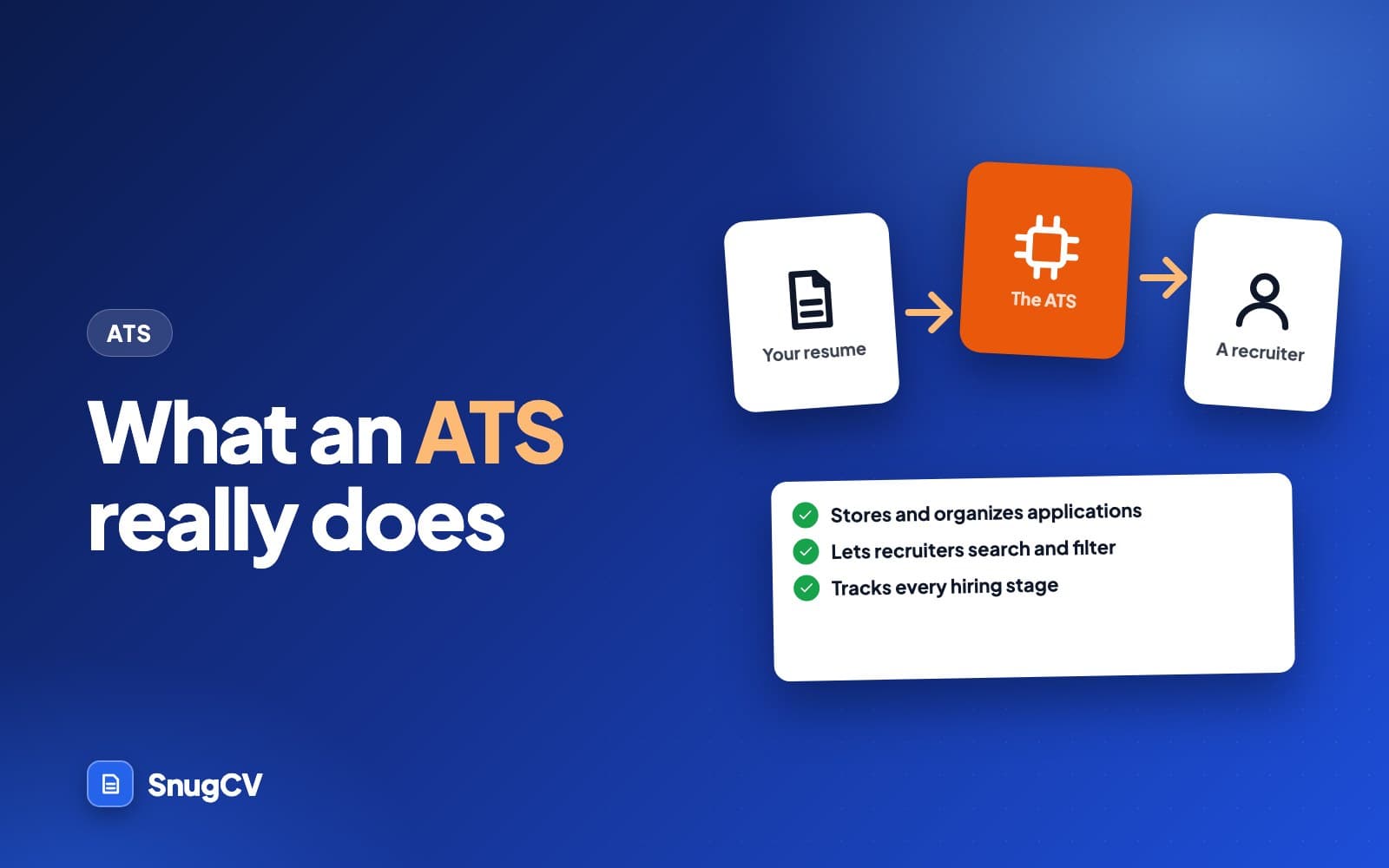
- An applicant tracking system is software that stores applications, reads uploaded files into fields, and lets a hiring team search, sort and move people through stages.
- Employers set these systems up differently. Some attach rules to yes or no screening questions that sort or reject automatically. How any one employer ranks or filters applicants is not public.
- What you control is whether your file reads cleanly, whether the words a recruiter would search for appear in true statements about your work, and whether your screening answers are accurate.
- No formatting trick or keyword count guarantees anything. Be wary of any page that attaches a precise percentage to what software does to resumes.
In this guide
- What an ATS is, in plain terms
- Who uses an ATS, and why
- What happens to your application, step by step
- How recruiters find people
- Ranking, scoring and AI: what is public and what is not
- Myths and what is publicly known
- What you actually control
- What this looks like in different fields
- After you apply: records, talent pools and reapplying
- Common mistakes
- Where SnugCV fits
- Keep going
Every time you apply for a job online, your resume goes into an applicant tracking system, usually shortened to ATS. Career advice often treats it as a gatekeeper that throws most people out before a human looks. The software is more ordinary than that, and the real risks are more specific than that, which makes them easier to deal with.
This guide covers what an ATS is, what employers use it for, what happens to your application after you press submit, which popular claims have no public evidence behind them, and the short list of things you control. It uses no scare numbers. Where something differs between employers, which is most of it, the guide says so. If you want the formatting rules that follow from all this, they are in the ATS-friendly resume guide.
What an ATS is, in plain terms
An applicant tracking system is software employers use to run the paperwork of hiring. Someone in HR or a hiring manager creates the job in it, publishes the posting to the company's careers page (and often to job boards), and every application lands in one place instead of in a dozen inboxes.
Four jobs cover most of what it does.
Keeps the record
Store
Every application, the file you uploaded, your answers and a history of what happened, in one place that outlasts a single posting.
Finds people
Search
Recruiters search and filter a pool by words, job titles, location, stage and tags, the way you search your own email.
Moves people along
Track
Each candidate sits in a stage such as new, phone screen, interview or offer. Moving someone between stages is how a hiring team knows where everyone stands.
Keeps a team in step
Collaborate
Interviewers leave notes and ratings, schedule time and see what colleagues thought, without forwarding resumes around by email.
Around those four sit smaller functions: posting to job boards, sending automatic emails, scheduling interviews, reporting how many people applied and where they came from, and keeping records the employer may need for policy or legal reasons.
Look at what is missing from the list: a verdict on whether you deserve the job. Judgement stays with the people using the system, plus whatever rules the employer chose to switch on, which a later section covers.
Who uses an ATS, and why
Four questions come up most. Why do employers bother, which names will you meet, what do you meet in different kinds of workplace, and how does an ATS differ from the other tools in the chain?
Why employers use one, and what it costs you
The employer's reasons are practical. A posting can attract far more applications than one person can handle by email. A system lets the same questions go to everyone, keeps every record in one place, lets several people leave notes on the same candidate, and gives the company a record if anyone later asks how a hire was made.
The costs land on applicants, and they are real.
What the system does well
- Every application is kept in one place, so it can be found again
- A team can share notes, ratings and schedules on the same candidate
- Everyone is asked the same questions, which makes comparison easier
- A pool can be searched later for similar roles
- Automatic acknowledgments tell you the application arrived
Where it frustrates applicants
- Long forms that ask you to retype what is already on your resume
- Parsing mistakes you have to find and fix yourself
- Silence at the end, with no word on what happened
- Screening questions with no room to explain a situation
- The same form for very different roles
Knowing the employer's reasons helps you read the process generously. The system is mostly there to keep a large, shared task in order. It is a tool, and you get the most from it by giving it clean inputs.
Which products exist, and what you will meet
Large employers commonly use one, because hundreds or thousands of applications cannot be handled in an inbox. Many mid-size employers and staffing agencies do too. A small business may have a basic hiring tool built into a payroll or HR product, or it may read emails and keep a spreadsheet. You will meet very different experiences: a hospital system's long portal, a retailer's tap-through application on a phone, a small contractor's email address.
Names you may recognize include Workday, Greenhouse, Lever, iCIMS, Oracle Taleo, SmartRecruiters, Ashby, Jobvite and BambooHR. They are examples of products that exist, and the list is not a statement about what any employer uses or how a product behaves inside. Two employers on the same product can set it up quite differently, with different stages, different screening questions and different people looking at different things.
You can often get a hint about the product from the web address of the application page, which sometimes includes the vendor's name. That tells you the brand. It does not tell you how the employer configured it.
| Employer | What you usually meet | Worth knowing |
|---|---|---|
| Large retailer or restaurant chain | A short, phone-friendly form with availability and eligibility questions | Your answers to the questions can matter as much as the resume, which may be optional |
| Hospital or health system | A long portal with license, certification and work history fields | Expect to retype details even after uploading a file |
| School district or public agency | A structured application you complete field by field, often with written questions | The fields carry the weight, and the upload may be secondary |
| Staffing or temp agency | A profile and resume kept in a database that recruiters search for many roles | Your resume may be found for roles that are not open yet |
| Small business | An email address or a simple form | A person reads it, often the owner |
| Mid-size or growing company | A careers page built on a hiring product, with a resume upload and a few questions | Resume, a short form, sometimes a cover letter |
ATS, job board, CRM: which is which
The vocabulary gets muddled, and the advice for each piece differs, so here is how they separate.
| Term | What it is | Who uses it |
|---|---|---|
| Applicant tracking system (ATS) | The employer's system of record for one hiring process: applications, stages, notes, decisions | Recruiters, hiring managers, interviewers |
| Job board | A public site where postings are listed and you search, such as an aggregator or a career network | You, and employers who post there |
| Recruiting CRM | A database of people an employer wants to stay in touch with, whether or not they applied | Recruiters and sourcers, often built into an ATS |
| HR system | The employer's record of people who already work there: pay, leave, benefits | HR and payroll teams |
| Resume checker | A third-party tool that compares your file with a posting and returns advice or a number | You, never the employer |
Most job boards pass your application to the employer's ATS, or let you apply on the employer's own page where the ATS lives. The resume checker sits outside the whole chain, which is worth remembering when you reach the section on scores.
What happens to your application, step by step
- 1
You submit
Your file, your form answers and any screening questions go to the employer's system.
- 2
The file is read
The system tries to turn your resume into fields: name, contact details, jobs, dates, education, skills.
- 3
A record is created
Your answers, your file and the fields become one candidate record attached to that job.
- 4
Rules may run
If the employer set them up, certain answers can tag you, move you to a stage or end the application.
- 5
People look
A recruiter reviews new applicants by searching, filtering or working down a list.
- 6
You move or you stop
Reviewed, shortlisted, passed on. Each change is logged and may trigger an email, depending on settings.
Most of what matters happens in steps two, four and five, so each gets its own look.
Step 2: the file is read
Many systems try to read the resume you upload and fill in a structured record from it. This is called parsing. The software looks for patterns it has seen before: a name at the top, an email address, a job title followed by an employer and a date range, a section called Education.
Parsing is pattern matching, and patterns break. Some systems show the recruiter the original file next to the parsed fields, so a person can still read your document as you wrote it. Others lean heavily on the fields. Workday's administrator documentation, which is public, says parsing results can vary with the format and word order of the resume, and it recommends resumes without images or image-based styles.
Here is how a single entry might be handled, using a made-up example.
- 1
Medical Assistant, Lakeshore Family Clinic Tucson, AZ | June 2021 to present
On the page
A person reads this as a job: a title, an employer, a place and a start date.
- 2
Title: Medical Assistant Employer: Lakeshore Family Clinic Start: 2021-06 End: present
Fields that are easy to fill
A title, a comma and a name is a pattern parsers see constantly. Month and year are easy to read.
- 3
Title: Medical Assistant, Lakeshore Employer: Family Clinic Tucson Start: (blank)
Fields that can go wrong
A line break in the wrong place or a date written as summer 2021 can split a name across fields or leave one empty.
- 4
A search for "Lakeshore Family Clinic" finds no match on this record.
Why it matters
In many setups search and filters run on the parsed fields. A person reading the file would see the job, and a search may not.
A messy parse can leave a record that looks thinner to a search than the file looks to a person. The fix is cheap: make the pattern easy to read. How to check your resume for ATS problems in 10 minutes shows how to see your own file the way a parser might.
Step 4: rules can run
This is the step people mean when they say software rejects people, and it is narrower than the myth. An employer can attach a rule to the answer to a screening question. The documented examples are about answers, not about your resume text.
Greenhouse's public help center describes it plainly: its application rules can tag a candidate, move them to a later stage or reject them based on how they answered custom application questions, depending on the plan the employer pays for. Greenhouse's application rules overview is the page. The rule acts on the answer you gave to a question. Nothing in that documentation describes a score for your resume.
Other products have their own versions. The point holds across them: an employer decides which questions to ask and what to do with the answers, and a yes or no you click quickly can have consequences.
Because the answers to screening questions can drive rules, it is worth knowing what they tend to look like. These four are invented, written the way many real forms phrase them.
- 1
Are you legally authorized to work in the country where this job is based?
Work authorization
A yes or no an employer may use to sort. Answer exactly and truthfully. The wording and the legal background vary by country.
- 2
Do you hold a current commercial driver's license, Class A?
Required credential
When a posting calls a credential required, it is often asked this way. A no may end the application, so read it twice before clicking.
- 3
Are you able to work weekends and some evenings?
Availability
For shift work this can be the deciding question. If your honest answer is partly, look for a comment box before choosing a button.
- 4
How many years of experience do you have with inventory control software?
Years of experience
A number field. Count what you actually did, and count it the way the question asks. A rough, honest number beats a stretched one.
Two habits protect you. Read each question as a literal yes or no, because a rule will. And if a question has no good answer for your situation, such as a license you are partway through earning, look for a free-text field, or contact the employer, rather than choosing the nearest button.
Some forms also carry voluntary questions, such as self-identification for the employer's reporting. Where they are optional, the form normally says so and lets you decline. The explanation printed on the form is the authority here, because it differs by country and by employer.
Step 5: people look
Eventually a person opens a list. How they work through it depends on the employer and on volume. A recruiter with a handful of applications may read each one. A recruiter with a flood may search the pool for the words that define the role, filter by location or a required credential, and read the strongest-looking group first.
Neither approach is mysterious. In both, being easy to read and easy to find matters, and nothing about it requires a trick.
A useful exercise is to take the reader's chair. Imagine forty applications for one role and an hour to get through them. What would you look at first? Probably the job title and the most recent employer, then whether the dates make sense, then whether the tools or credentials named in the posting appear. You would also stop reading the moment a document became hard to follow. You cannot know what any particular reader does, and the exercise is still a fair guide to where to put your effort: the top of the first page, the job titles, the dates, and the handful of terms the posting leans on.
One posting from the employer's side
It helps to see the whole life of a posting once. The timeline below is an invented illustration. Real ones run from days to months.
Day 1: the role is approved
The hiring manager and recruiter agree on the title, the requirements, the stages and any screening questions, and enter them in the system.
Day 2: the posting goes live
It appears on the careers page and may be sent to job boards. From here on, applications arrive and attach themselves to the job.
Week 1: first look
The recruiter reviews new applications as they come in, or in a batch. Some are moved to a phone screen stage, and some are set aside.
Weeks 2 and 3: screens and interviews
Phone screens happen. Interviewers leave notes and ratings in the candidate records. The hiring manager picks a shortlist.
Week 4 or later: decision
An offer goes to one person. The others are closed out, sometimes by an automatic email, sometimes by a personal one, sometimes by nothing.
Two things follow. First, a posting that attracts many applications is reviewed in batches, which is why a clear, scannable resume matters. Second, silence at the end is common and says very little about your resume in particular. The role may have been filled, paused or closed before anyone reached you.
How recruiters find people
Search is the feature a job seeker feels most. A recruiter types a word or phrase, the system returns records containing it, and the recruiter narrows with filters such as location, stage or a tag.
Search behaves like search anywhere. It generally matches the words that were typed. Some systems handle plurals and word endings, and many will not connect an abbreviation to its long form or one job title to a similar one. How a given system treats this varies, so the safe habit is to write the term the way an employer would type it, and to include both the long form and the abbreviation once if both are common.
| What the recruiter might type | Wording that is easy to find | Wording that is easy to miss |
|---|---|---|
| forklift | Operated sit-down and stand-up forklifts, certified | Moved pallets with powered equipment |
| registered nurse | Registered Nurse (RN), medical-surgical unit | Clinical staff member on a hospital floor |
| payroll | Processed biweekly payroll for 40 employees | Handled employee pay |
| inventory | Counted and reconciled inventory weekly | Kept track of stock |
| CDL | CDL Class A with tanker endorsement | Licensed to drive heavy trucks |
| lesson planning | Planned and delivered lessons for Grade 4 | Prepared classroom materials |
The right-hand column is not wrong, and a person reading it would understand. It just gives a search fewer words to catch. Choosing the term the employer used in the posting, where it is accurate, is the same habit as finding the keywords in a job description.
What the other side of the screen can sound like
The conversation below is invented, to show how search, parsing and judgement mix in one small, ordinary case. Real teams differ.
Recruiter
We had far more applications than I can read closely for the dispatch coordinator role. I filtered on location and the weekend availability question, then searched for dispatch and the scheduling software the team uses.
Hiring manager
Did you read them, or count matches?
Recruiter
I read the group that matched on the title and tools. Two had no dispatch in the text, but their last job was transport planner, so I opened those as well.
Hiring manager
Good. Anyone odd?
Recruiter
One resume came through as a single block of text. I could read it, but the fields were empty, so it never showed up in my filter. I found it by sorting by date.
Hiring manager
Add that one to the shortlist of six. Their last two jobs are exactly what we need.
In that story, a diligent recruiter and a convenient sort order rescued the record. You cannot count on either, which is why a file that reads cleanly is worth the ten minutes it takes to check.
Ranking, scoring and AI: what is public and what is not
Candidates do not see a score in an employer's system, and there is no standard one. A few facts are safe to rely on.
- Some products and add-on tools can rank or recommend candidates. Whether a given employer has switched one on, and what it looks at, is not public.
- The score a resume checker gives you is made by that checker, using its own rules. An employer does not see it.
- Whether or not a ranking tool is in use, how much of the decision is handed to software is the employer's choice, and the employer is the only one who knows.
- In some places, rules about automated hiring tools are being introduced. If you want to know what applies to you, check what your local authority says.
The honest summary is that how a particular employer's system treats you is something an outsider cannot know. That is uncomfortable, and it is also why advice that promises to beat the system should make you cautious.
Myths and what is publicly known
| The claim | What is publicly known |
|---|---|
| A robot rejects most resumes before a person sees them | Figures like this circulate widely with no published method behind them. What is documented is narrower: employers can attach rules to answers to screening questions, and those rules can sort or reject. Whether an employer also uses ranking or recommendation tools is their choice, and what those do is not public. |
| Your resume gets a score, and you need to beat a threshold | Employers' systems do not show candidates a score and there is no standard scale. The numbers you see come from checker tools measuring against their own rules. |
| Hiding keywords in white text beats the system | A parser reads the text in the file, including text you cannot see on the page. A person who opens that text, or a pasted copy, sees it at once. It is also a misstatement of your resume. |
| Only plain, boring resumes get through | Design is not penalized as such. Layouts that scramble the text or turn it into an image can make a resume harder for software to read, and a clean file keeps that risk low. |
| Every company uses the same ATS | Many products exist, and each employer configures theirs. The same file can read well in one and badly in another. |
| No reply means the ATS rejected you | Silence has many causes: the role was filled, paused or closed, or nobody has reached your application yet. Whether automatic emails are sent is an employer setting. |
| Applying through the website is pointless, only referrals work | Both routes exist side by side. A referral often gets a person to look sooner, and neither is a guarantee. Applications through the system are still read by people. |
| A perfect keyword match gets you the interview | Matching words helps you be found and understood. People still decide who to interview, based on whether your experience fits the work. |
What you actually control
Strip away the myths and a short list is left. Each item is within your reach and costs little.
Can it be read?
The file
A real-text PDF or Word file, one column, standard section names, contact details in the body of the page. The ATS-friendly resume guide has the details.
Can it be found?
The words
The posting's terms where they describe work you did, in the summary, the skills list and the bullets. Never a term you cannot back up.
Are they right?
The answers
Screening questions read literally and answered truthfully. The same email, name and dates every time, so your records line up.
Two smaller things sit beside those. Some employers review applications as they arrive, and a posting that says applications are reviewed on a rolling basis is telling you so, which is a reason to apply early when you are ready. And a rushed application with a misclicked answer costs more than a day's delay, so ready beats early.
A short routine turns those three into habit.
Before you submit any application
0 of 7 done
What this looks like in different fields
Your experience of an application depends heavily on the kind of employer. Here are four illustrative cases, and what to prepare for each.
Short form, phone first
Hourly retail or restaurant role
Availability and eligibility questions come first, and the resume may be optional or a few lines. Keep your weekly availability written down so you answer the same way every time.
Credentials in fields
Licensed healthcare role
License number, jurisdiction, expiry and certifications such as BLS often have their own fields. Keep them in one note so every portal gets identical answers, and recheck any parsed credential that looks misfiled.
Credentials and equipment
Trades or driving role
License class, endorsements and the equipment you can operate are the core. The resume may be short, and a precise line for each credential serves better than a paragraph.
Long form, re-entered history
Office or public-sector role
Work history retyped by hand, and written answers to narrative questions. Keep a master document with exact dates, titles and duties to copy from, so nothing drifts between applications.
After you apply: records, talent pools and reapplying
Your application does not vanish when the role closes. The employer may keep the record for a period set by its own policy and local rules, and recruiters can search past applicants when a similar role opens. Staffing and recruiting agencies often work from a pool of candidates they already hold.
That has two practical effects. A clean record helps you later as well as now. And consistency matters: if one application shows a job ending in March and another says May, a person comparing them will wonder which is right. Tailoring wording to each posting is fine and normal, so long as the facts, meaning employers, titles and dates, never change between versions.
If you applied before and were passed over, applying again for a different role is generally fine. Some employers limit repeat applications to the same posting, and the careers page or the confirmation email will say so.
Common mistakes
Do
- Read every screening question as a literal yes or no before you click
- Use the same name, email and job dates on every application to one employer
- Check any auto-filled fields before you submit, and fix what the parser got wrong
- Keep your resume text real: selectable, in order, with contact details in the body
- Use the posting's terms only where they are true of your work
Common mistakes
- Hide keywords in white or tiny text
- Believe a percentage that names no source
- Treat a checker score as a prediction of what an employer will do
- Submit a resume that is a picture of a page
- Assume silence means you were rejected by software
Where SnugCV fits
SnugCV builds a profile once from your uploaded resume, then rewrites the summary, skills order and bullets in a posting's own language for each job, copying employers, titles, dates and education unchanged. Both templates export a single-column PDF with real, selectable text, and every change comes with a plain-language note so you can check it. SnugCV makes no claim about what any employer's system will do with the file.
If you track what you have sent and where each application stands, the free job tracker is the other half of staying organized.
Keep going
Start with the practical follow-ups in this cluster: the formatting rules that matter for an ATS-friendly resume and a ten-minute check for ATS problems. For the words themselves, see how to find the keywords in a job description, and for the reasoning behind changing a resume per job, why tailor a resume for each job.
Questions people ask
Does every employer use an applicant tracking system?
No. Many mid-size and large employers do, and so do staffing agencies and recruiters. Small businesses often use a simple form, an email inbox or a spreadsheet, and a person reads every application. You usually cannot tell from the outside which one you are dealing with, so write a resume that reads well for both a person and software.
Will an ATS automatically reject my resume?
Employers can set rules on screening questions, such as work authorization or a required license, that sort or reject applications based on your answer. The widely repeated claim that software discards most resumes comes with no published method or data. A resume can be hard to find if its text reads badly or lacks the posting's words, which is a different problem from being rejected.
Can I see my ATS score?
Employers' systems do not show candidates a score, and there is no standard scale. The scores you see come from resume checker tools that compare your file with a posting using their own rules. Such a number can help you spot missing words or a layout problem. It is not what an employer sees, and it is not a pass rate.
How can I tell which ATS a company uses?
Look at the web address of the application page. It often belongs to the product's maker, with the employer's name in it. That tells you the brand and nothing about how the employer set it up. Knowing the brand rarely changes what you should do: a clean file and honest, matching wording work everywhere.
Should I upload a PDF or a Word file?
Follow the application's instructions if it names a type. When you have a choice, a PDF exported from a word processor, with real selectable text, is a common safe default, and a Word file is also widely accepted. Avoid files that are scans or pictures of a page. The ATS-friendly resume guide covers the trade-offs in more detail.
Is applying through the website still worth it, or should I network instead?
Both routes exist, and people are hired through each. Applications that arrive through the system are read by people, with volume and timing varying by employer. A referral often gets a person to look sooner. Doing both for roles you care about costs little, and neither is a guarantee.
Is it worth tailoring my resume if software is involved?
Yes. Tailoring puts the posting's own words on your resume where they are true, which makes you easier to find in a search and quicker for a person to place. It changes how your real experience is described and should never add anything you have not done.
Was this guide helpful?
Get the free resume checklist and new guides
Twenty checks to run before you send a resume, as a one-page PDF. After that, a short email when new guides go up, at most once a week.