Key takeaways
- A general chatbot is good at wording, structure and asking you questions. It does not know what you have done, and when a fact is missing it tends to supply a plausible one.
- Start from a written fact sheet, tell the chatbot in plain language not to add anything, and make it mark every number or tool you did not provide.
- Check every line against your own records before you send it. Titles, dates, tools and numbers all become interview questions.
- Remove contact details and anything confidential before you paste, and read the chatbot's current data settings.
In this guide
- What a chatbot is good at, and where it goes wrong
- What an invented line looks like
- Start with a fact sheet, not a prompt
- The prompts, in the order to use them
- The verification checklist
- Make it sound like you
- Privacy: what to remove before you paste
- Formatting and applicant tracking systems
- Common mistakes
- Where SnugCV fits
- Keep going
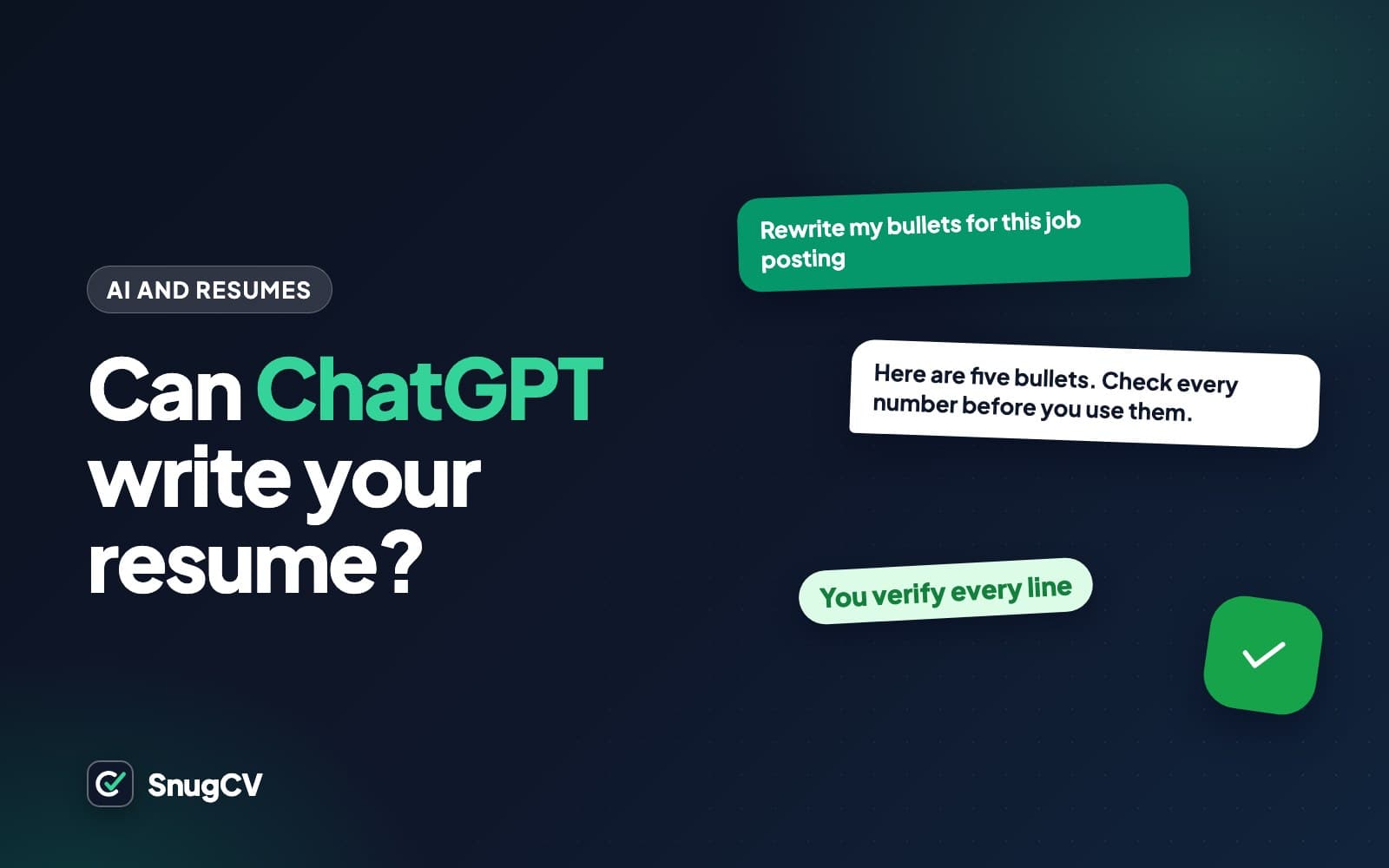
ChatGPT can make a resume read better in an afternoon. It can also hand you a resume that says you improved delivery times by a figure you never measured, using software you have never opened. Both results come from the same tool, and which one you get depends on what you give it and what you do with what comes back.
This guide shows a way to use any general chatbot for resume work that keeps every line true. You get a fact sheet to start from, copyable prompts, a checklist for reviewing the output, and a list of what to remove before you paste anything. If you have not yet pulled the keywords out of the posting you are applying to, how to find the keywords in a job description is worth doing first, because it gives the chatbot something real to work toward.
What a chatbot is good at, and where it goes wrong
A chatbot is a text generator trained to write plausible text. For resume work that gives it real strengths and one weakness that matters a great deal.
Where it helps
- Turning plain descriptions of your work into clear, specific bullet points
- Asking you questions that jog your memory about what you actually did
- Tightening text that runs long and reordering it so the strongest line comes first
- Suggesting stronger verbs and varied sentence openings
- Catching typos, tense changes and inconsistent formatting
- Comparing a posting with your resume and listing the overlap
Where it goes wrong
- Adding numbers, tools, team sizes and results you never gave it
- Raising your seniority a notch: assisted becomes led, helped becomes managed
- Filling a thin job with the generic duties of its title instead of your actual work
- Writing the same stock phrases it gives everyone else
- Having no way to know your dates, titles or employers beyond what you typed
- Sounding certain when it is wrong
The weakness has a cause. A chatbot writes the most plausible continuation of what it was given. A bullet that plausibly belongs under "delivery driver" contains a route, a volume and a result. If you supplied the route and no volume, the most plausible bullet has a volume in it. The chatbot is completing a pattern, and the consequence is the same as a lie: the number sits on your page with your name next to it.
What an invented line looks like
Here is a made-up example. A person who drove for a bakery types a few plain sentences, and the chatbot polishes them. The highlighted phrases are the ones the person never said.
Example: what you typed and what came back (made up)
What you typed. I drove a delivery van for a bakery for two years. Route was about 20 stops, mostly cafes. I loaded the van myself in the morning.
What came back. Delivered fresh baked goods to 40+ wholesale clients daily, improving on-time delivery by 25 percent and reducing fuel costs through route optimization while maintaining excellent customer relationships.
The real route had about 20 stops. The client count doubled, and two results appeared out of nowhere. Each of those would draw a question in an interview, and "how did you measure that?" has no good answer for a number that was never measured.
The inventions fall into a small number of types. Knowing them makes them easier to catch.
| Invented detail | Typical example | How to catch it |
|---|---|---|
| Numbers and results | "served 150 customers a day", "cut wait time in half" | Find every digit and every "by", "reduced" and "improved" and match each to your records |
| Tools and software | "used Salesforce and Tableau" | For each product name, ask whether you ever opened it |
| Seniority | "led a team of five" when you trained one new hire | Look for led, managed, directed, owned and oversaw |
| Scope | "multi-million dollar budget", "enterprise accounts" | Any size, budget or customer-type word you did not supply |
| Duties of the title | "conducted patient assessments" in a role that did not include them | Compare each duty with a normal week in that job |
| Years of experience | "5+ years of experience" in the summary | Count the years yourself from your dates |
| Credentials | "certified in" a course you took without a test | Match each one to a certificate, card or license record |
Start with a fact sheet, not a prompt
The one habit that prevents most problems is to write your facts down, in your own plain words, before you open the chat. That fact sheet becomes the only source the chatbot may use. Plan on about half an hour the first time. After that you can reuse it for every application.
1
fact sheet that every prompt starts from
2
separate chats: one to draft, a fresh one to audit
0
numbers in your resume that you did not supply or cannot source
Template: fact sheet (copy and fill in)
JOB 1
Employer: [name as it appears on your paperwork]
Title: [title as on your contract, pay stub or offer letter]
Dates: [month and year to month and year]
What I did in a normal week: [plain sentences, no polishing]
Tools and systems I used: [only ones I have opened and used myself]
Numbers I can back up: [the number, and where I know it from, such as a route sheet, a report or a count]
Things I cannot put a number on: [list them, so nobody guesses]
Feedback or recognition I received: [reviews, thanks, awards]
JOB 2
[repeat the same fields]
EDUCATION, LICENSES AND CERTIFICATES
[exact name, issuer, year, exactly as on the certificate]
SKILLS I REALLY HAVE
[each skill, how long I have used it and how]
Two of those fields do most of the work. "Numbers I can back up" forces you to say where each figure comes from, which is the cure for invention: "about 20 stops, from the route sheet" is a fact, and "about 40" is a guess. "Things I cannot put a number on" tells the chatbot, and reminds you, that a missing number is allowed to stay missing.
The prompts, in the order to use them
Seven prompts cover the whole job, from remembering what you did to checking the finished text. Each one assumes the fact sheet exists. Copy them, replace the square brackets, and keep the order.
Prompt 1: the ground rules
Paste this at the start of every new conversation, before any resume text. It sets the boundaries that every later prompt inherits. Long chats drift, so paste it again whenever you start a new task.
Prompt 1: ground rules (copy)
You are helping me improve the wording of my resume. I will give you facts about my work history. These rules apply to everything you write in this conversation.
- Use only facts that I have given you in this conversation. Do not add numbers, percentages, dollar amounts, team sizes, tools, software, certifications, job titles, employers, dates or results that I did not state.
- If a bullet would be stronger with a number, a tool or a result that I did not give you, do not make one up. Insert a marker in square brackets, such as [NEEDS NUMBER] or [NEEDS TOOL], and tell me what to supply.
- Do not make my role sound more senior. Keep verbs at the level I describe. If I helped, say helped. If I trained one person, do not say I led a team.
- Keep my employers, titles and dates exactly as I wrote them.
- Write in plain, specific language. Avoid filler such as results-driven, proven track record, passionate and dynamic.
- When you finish, list anything you were unsure about and anything where the meaning changed.
Reply with OK if you understand, and nothing else.
Rule 2 changes the output the most. Without it, a chatbot fills a gap with something plausible. With it, the gap shows up as a visible marker, and a marker is information you can act on: supply a true number, or leave the bullet without one.
Prompt 2: let it interview you
Many people get stuck because they cannot remember what they did in a job from four years ago. Chatbots are good at asking questions, so use that.
Prompt 2: interview me about a job (copy)
I worked as [job title] at [type of workplace] from [year] to [year]. Interview me about this job so that I can remember what I actually did. Ask me one question at a time and wait for my answer. Keep going for about ten questions. Ask what a normal day or week looked like, what I was responsible for, what tools and systems I used, who I worked with, what went wrong and how I handled it, and anything I counted or tracked. Do not suggest answers for me. Do not write any resume text until I say I am done.
Here is how a short stretch of that conversation might go for a made-up home health aide.
Chatbot
Walk me through a normal morning on a shift. What was the first thing you did?
You
Checked the care plan for each client on my list, then drove to the first visit. Usually four clients a day.
Chatbot
Who wrote the care plans, and what did they tell you to do?
You
The nurse supervisor. Medication reminders, meals, bathing help, mobility, and notes at the end of the visit.
Chatbot
Did you record anything after a visit? Where?
You
Notes in the agency's app, and a call to the supervisor if something changed, like a fall or a missed meal.
Chatbot
Was there a time something changed and you had to act?
You
One client stopped eating much for a few days. I told the supervisor and she arranged a nurse visit.
Copy your answers into the fact sheet. The chatbot supplied the questions and none of the facts. The bullets come next.
Prompt 3: turn facts into bullets
Now give it a single job at a time, along with the ground rules already in the conversation.
Prompt 3: bullets from facts (copy)
Using only the facts below, write three to five resume bullet points for this job. Start each bullet with a different past-tense verb. Keep each one to one or two lines. Follow the ground rules from the start of this conversation: no invented numbers, tools or results, and a bracketed marker wherever a number or result is missing.
Job title: [title]
Employer: [employer]
Facts: [paste this job's entry from your fact sheet]
Here is what safe output looks like for four made-up people in different fields. Each new line uses only what the person put in their fact sheet.
Before
Moved boxes and loaded trucks.
After
Picked and packed orders with a handheld scanner and loaded outbound trucks to the dispatch schedule. Pick rate: [NEEDS NUMBER]
The scanner came from the fact sheet. The person did not know their pick rate, so the chatbot left a marker instead of guessing.
Before
Helped teachers in class.
After
Supported a second-grade teacher by running daily reading groups of four to six children and preparing materials for each week's lessons.
Group size and the daily routine were both in the facts. Nothing about test scores appeared, because none were supplied.
Before
Made coffee and worked the register.
After
Prepared espresso drinks and handled cash and card payments through the morning rush, and showed two new hires the register.
Showed two new hires is what happened. The chatbot was told not to turn it into led or managed.
Before
Helped the electricians on jobs.
After
Pulled cable, mounted boxes and terminated outlets under a licensed electrician on residential rewires, and kept the van's tool inventory.
Every duty maps to a line in the fact sheet. Under a licensed electrician is kept because it is true and it describes the level honestly.
Read each result against the fact sheet. If a phrase has no match there, delete it or ask the chatbot why it is there. Phrases without a source are almost always the chatbot's own.
Prompt 4: tailor to a posting, gaps first
The tempting prompt is "rewrite my resume for this job." A chatbot answers it by doing its best to make you match, which is the moment it is most likely to invent. A better method splits the work in two: compare first, decide yourself, then rewrite.
- 1
Paste both
The posting and your resume, with your contact details removed.
- 2
Ask for a comparison only
Matches, near matches and gaps, with no rewriting.
- 3
Decide each gap
Add a true detail, describe something close, or leave it.
- 4
Then ask for the rewrite
Using only what the resume and your additions support.
Prompt 4a: compare, do not rewrite (copy)
Here is a job posting and my current resume. Do not rewrite anything yet. Make a table with three columns. In the first column, list each requirement and keyword in the posting. In the second, say whether my resume shows it clearly, shows something close, or does not show it. In the third, quote the exact line from my resume that supports your answer, or write NONE. Do not infer skills that are not written in my resume.
JOB POSTING: [paste]
MY RESUME: [paste]
This table is the same matching step described in the keyword guide, done by a chatbot instead of a highlighter. Look at every row marked "close". That is where the honest options matter: if you used a different tool of the same kind, say which one you actually used, and let the reader judge the overlap. For rows marked "none", add a true detail you left out, or accept the gap.
Once you have decided, send the second prompt.
Prompt 4b: rewrite from the decisions (copy)
Now rewrite my summary and the bullet points under [job title at employer] so they use the posting's wording where it accurately describes what is already in my resume or in the extra facts below. Do not add anything else. Where the posting uses a term for something I have not done, leave it out. Show the old line and the new line side by side so I can compare them.
EXTRA TRUE FACTS I AM ADDING: [list]
The side-by-side request matters. It makes every change visible, so you can approve each one instead of trusting a clean-looking block of new text.
Prompt 5: a summary that does not claim years you cannot count
A chatbot can miscount dates, and a bigger number reads better, so it will happily write "5+ years of experience" where you have three. The summary is where that line tends to appear, so supply the figure yourself.
Prompt 5: summary (copy)
Write a resume summary of two or three sentences for the job described below, using only the resume text I paste. Do not state a number of years unless I give it here: [for example, three years of front desk work, 2022 to now]. Name the kind of work I do, one or two strengths that are shown by lines in my resume, and what the target job needs. Do not use the first person and avoid filler adjectives.
JOB POSTING: [paste]
MY RESUME: [paste]
For many example summaries across fields to compare against, see resume summary examples.
Prompt 6: a proofread that changes nothing else
Prompt 6: proofread only (copy)
Proofread the resume below. Fix spelling, grammar, punctuation, tense and inconsistent formatting only. Do not change any wording, add anything or remove anything. List every change you made, one per line, so I can check them.
[paste resume]
Asking for a list of changes catches the quiet rewrites. If the list contains something that is not a spelling, tense or punctuation fix, you know the chatbot went further than you asked.
Prompt 7: audit it in a fresh chat
A chatbot inside a long conversation has its own earlier output in front of it and can lean toward agreeing with it. Open a new chat for the last check, and give it only two documents: your fact sheet and the finished resume.
Prompt 7: strict fact-check (copy)
I will paste a fact sheet and a resume. Act as a strict fact-checker. List every claim in the resume that the fact sheet does not support. Include numbers, tools, titles, dates, durations, team sizes, results and credentials. Quote the line. Do not suggest rewrites, and do not give me credit for things that are merely plausible.
FACT SHEET: [paste]
RESUME: [paste]
The verification checklist
Run this before any AI-assisted resume or cover letter goes out. It takes about ten minutes and it is the step that separates a polished resume from a risky one.
Before it goes out
0 of 10 done
Most of those checks come down to one question: what is the evidence for this line, and where is it? The table below pairs each type of claim with the most reliable place to confirm it.
| Claim | Where to confirm it |
|---|---|
| Employer, title, dates | Offer letter, contract, pay stubs, an old email signature |
| Duties | Your own account of a normal week, a job description you were given |
| Numbers and results | Reports, schedules, counts you kept, or an honest estimate marked "about" |
| Tools and systems | Your own use. If you cannot describe a normal task in it, leave it off |
| Licenses and certificates | The card or certificate itself, or the issuer's lookup service |
| Education | Diploma or transcript |
Make it sound like you
Chatbots reach for the same phrases because those phrases appear in a great deal of resume text. A reader who has seen a hundred of them will skim past yours. Cut anything that could describe anyone.
Phrases to cut or replace with something you actually did
- results-driven
- proven track record
- dynamic
- passionate about
- detail-oriented professional
- strong work ethic
- team player
- self-starter
- go-getter
- synergy
- exceptional customer experiences
- streamlined processes
The fix is almost always to replace an adjective with a thing you did.
Before
Dynamic, passionate hospitality professional with a proven track record of delivering exceptional guest experiences.
After
Server and bartender at a neighborhood restaurant for four years. Comfortable on a busy floor, quick on the point-of-sale system, and the person new staff were paired with in their first week.
Every adjective in the first version became something a reader can picture. (The details are made up for the example.)
A practical routine: take the three bullets you like least, close the chat, and rewrite each one yourself in plain words. Then compare. You will keep the chatbot's structure where it helped and your own words where it did not, and the result will sound like one person wrote it.
Privacy: what to remove before you paste
Whatever you paste is sent to the company that runs the chatbot. What happens next depends on that company's policy and on your settings, and both change over time and differ between products and between free, paid and workplace accounts. Many chatbots have a setting that controls whether your conversations may be used to improve their models, and some offer a temporary chat mode. Look up the current settings page and policy yourself rather than relying on a blog post, including this one.
If you use an account provided by your current employer or school, assume an administrator may be able to see what you type there, and that a job search is not something you want them to see.
Strip these out before pasting (use placeholders such as [NAME] and restore them afterward)
0 of 8 done
The simplest method is to keep a redacted copy of your resume for chatbot work. Replace identifiers with placeholders, do all the editing there, and paste the final text into your own template where the real details go back in.
Formatting and applicant tracking systems
A chatbot returns text. It cannot tell you how a particular employer's applicant tracking system will read your file, and nobody outside that employer can promise it.
Three habits cover most of what you can control. Ask for plain text only, with no tables or columns, and paste the result into your own template (how to choose your resume template, font and section order covers the settings). Read the formatting rules in ATS-friendly resume. Then check the finished file by pasting it into a plain text editor, as how to check your resume for ATS problems walks through.
One caution: if you ask a chatbot to "optimize for ATS," it often responds by adding keywords, including ones you cannot back up. Those are the risk, whoever put them there.
Common mistakes
Do
- Write the fact sheet first and let it be the only source
- Paste the ground rules at the start of every new chat
- Ask for markers where a number is missing, so gaps show instead of being filled
- Draft in one chat and audit in a fresh one
- Compare the posting with your resume before you ask for any rewriting
- Read the finished text aloud and fix anything you would not say
- Save the fact sheet and update it when something changes
Avoid
- Ask for a resume with only a job title and a company name
- Accept the first draft because it reads smoothly
- Let the chatbot calculate your years of experience
- Paste the posting's sentences into your resume
- Send text you could not explain in an interview
- Include client, patient or student details
- Use the same stock summary the chatbot gives everyone
Where SnugCV fits
With a general chatbot, the discipline above is yours to maintain: the fact sheet, the rules in each chat, the audit. A purpose-built tool can build some of that into how it works. SnugCV builds your profile once from an uploaded PDF resume. When you paste a posting, it rewrites the summary, reorders skills and rewords bullets in the posting's language, copies employers, titles, dates and education unchanged, and writes a plain-language note for every change, along with the keywords it matched and the gaps it found. You still read the result before you send it, as you should with any tool. Your first 5 tailored resumes are free with no card.
How to tailor your resume to a job posting in about a minute walks through the steps, and how to read your tailored resume explains the change log.
Keep going
If the chatbot's bullets still feel flat, resume bullet points: formulas and before-and-after rewrites gives patterns to rewrite them with, and resume action verbs has a longer list than any chatbot will volunteer. For the letter that goes with your resume, how to write a tailored cover letter applies the same rule: facts first, then wording. And why tailor a resume for each job explains why the effort of a fact-checked tailored version pays off.
Questions people ask
Can ChatGPT write my resume for me?
It can draft one, but a draft from a bare prompt such as a job title is generic and often contains details you never supplied. It works well as an editor for facts you provide: wording, ordering, tightening and questions. You stay responsible for every line, so the draft always needs a careful read against your own records.
Will an employer know my resume was written with AI?
Some readers recognize the stock phrases that chatbots produce, such as a pile of adjectives with no specifics. Nobody outside a given tool can promise whether it will flag text. The safer test is whether the resume sounds like you and whether you can explain every line out loud without notes.
Is it safe to paste my resume into ChatGPT?
What you paste goes to the company that runs the chatbot, and what happens next depends on its policy and your settings, which change over time. Remove your phone number, address, ID numbers and anything confidential about an employer, client or patient first. Check the current data controls rather than assuming.
What is the best prompt for resume bullet points?
One that supplies the facts and forbids additions: give the job title and what you did in plain sentences, then tell the chatbot to use only those facts and to put a marker where a number or result is missing. The prompts in this guide follow that pattern, and you can copy and adapt them.
Does ChatGPT make a resume ATS-friendly?
It produces text, and it cannot tell you how a particular employer's applicant tracking system will read a file. Asking it to optimize for an ATS usually makes it add keywords, including ones you cannot back up. Keep the layout plain, build the file in your own template, and check it by pasting into a plain text editor.
Can I use ChatGPT for a cover letter too?
Yes, and the same rules apply. Give it the facts and the posting, forbid invented achievements, and rewrite the result in your own voice. Cover letters tend to come out especially generic, so add one specific story from your work that only you could tell before you send it.
Was this guide helpful?
Get the free resume checklist and new guides
Twenty checks to run before you send a resume, as a one-page PDF. After that, a short email when new guides go up, at most once a week.