Key takeaways
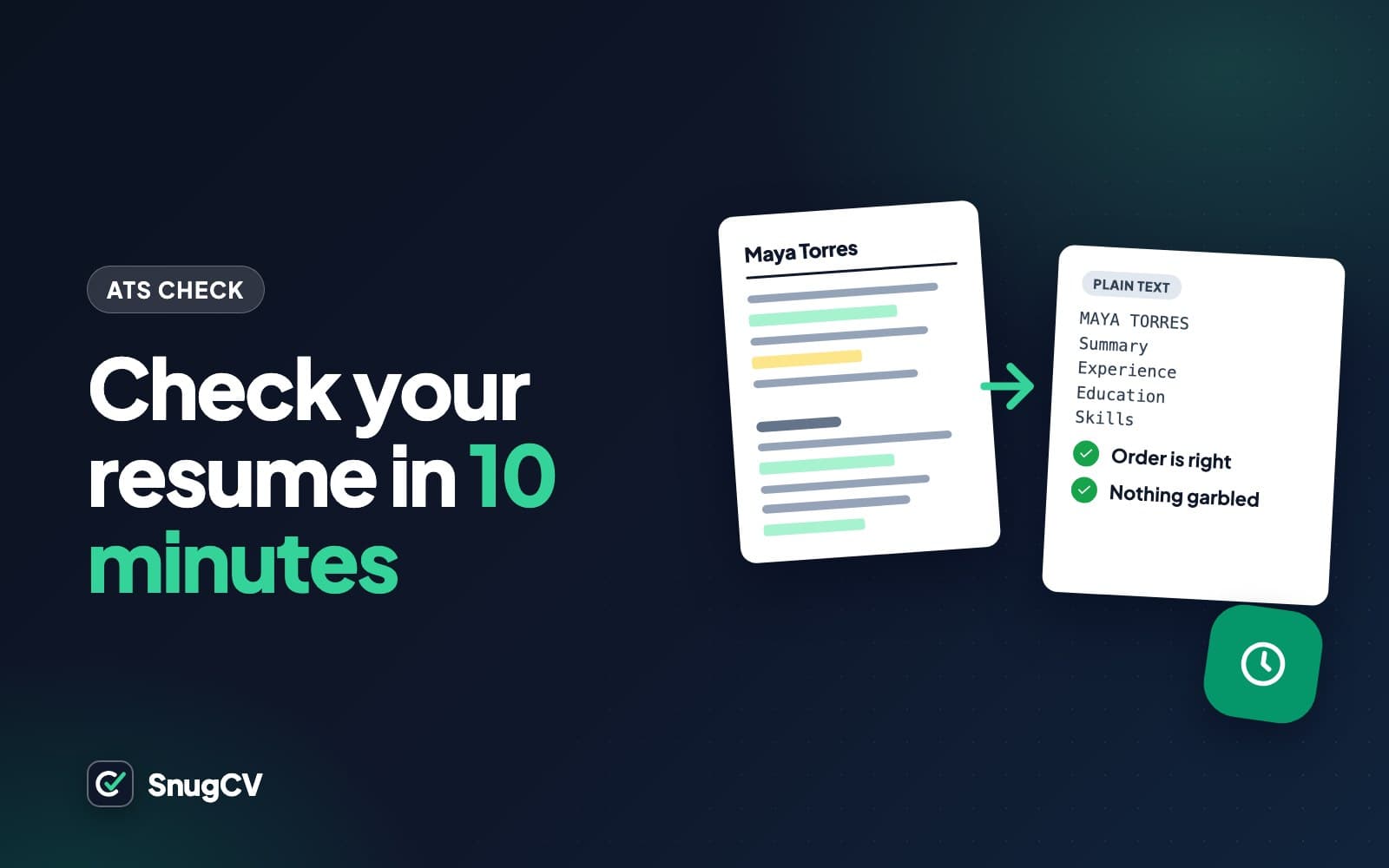
- You can test a resume for ATS problems in ten minutes with no tool: check that the file has real text, paste it into a plain text window, read what comes out, and match it by hand against one posting.
- Problems usually show up as text in the wrong order, a missing name or phone number, jobs separated from their dates, or odd characters where a symbol was.
- Online checkers compare your file with a posting using their own rules. Their score is not an employer's score and not a pass rate, so use the extracted text and the missing-terms list and set the headline number aside.
- Repeat the test whenever you change layout, export from a different tool, or tailor for a new posting.
In this guide
- What you are testing for
- Minute 0 to 1: is the text real?
- Minute 1 to 2: paste it into plain text
- Minutes 2 to 5: read it as a stranger
- An annotated before and after
- Minutes 5 to 7: check that the facts landed
- Minutes 7 to 10: match the keywords by hand
- What online ATS checkers measure
- Fixing what you find
- Common mistakes and a routine
- Where SnugCV fits
- Keep going
Ten minutes and no software is enough to find the problems that most often make a resume hard for an applicant tracking system to read. You open the file, paste its text into a plain window, read what comes out, check that the right facts sit in the right places, and match the wording against one posting by hand.
This guide walks through each minute of that test, shows an annotated example of what extracted text looks like when something is wrong, and explains what online checkers measure so you know what to make of their scores. For the background on what the software does, read what is an ATS. For the rules on building a clean file in the first place, see the ATS-friendly resume guide.
What you are testing for
No test can tell you how a particular employer's system will treat your file, because each employer sets theirs up differently. What you can test is whether the file reads cleanly as plain text, which is the first thing any software has to manage. Four questions cover it.
- Is the text real, meaning selectable and searchable, and not a picture of text?
- Does it come out in the right order?
- Do the facts stay together: your name, your contact details, and each job with its title, employer and dates?
- Are the words the posting uses present, where they are true of your work?
You need three things: the exact file you plan to upload, a plain text editor, and one job posting you intend to apply for.
Minute 0 to 1: open and search
Open the PDF, try to select a line of text, and search for a distinctive word.
Minute 1 to 2: paste
Select everything, copy it, and paste it into a plain text window.
Minutes 2 to 5: read
Read the pasted text from top to bottom as a stranger would, noting anything out of order or missing.
Minutes 5 to 7: check the facts
Confirm that name, contact details, jobs, dates, education and skills are all present and together.
Minutes 7 to 10: match one posting
Compare your wording with the posting's must-haves, by hand, and decide what to reword.
Minute 0 to 1: is the text real?
Open the PDF. Move your cursor over a line of text and drag. If the line highlights, you have text. If you get a rectangle over the page, or nothing at all, you may have an image.
Then use the find command (Ctrl+F on Windows, Cmd+F on a Mac) and search for the name of your last employer. A hit confirms the text is searchable.
A file with no real text usually has one of three causes. It was made by scanning or photographing a printed page. It was saved from a design tool as a picture. Or the layout is a flat image with text laid over it in a way that exports as pixels. Software sees nothing in such a file, and so does anyone searching or copying from it.
If the test fails, go back to your editable source, whether that is a word processor document or a design tool, and export again with the program's own save-as-PDF option. In Word that is File, then Save As or Export, then PDF. In Google Docs it is File, Download, PDF Document. In Pages it is File, Export To, PDF. If the only copy you have is a scan, retype it into a word processor. It is tedious and pays back on every application after.
Minute 1 to 2: paste it into plain text
Press Ctrl+A or Cmd+A to select everything, copy, and paste into a plain text window. On Windows that is Notepad. On a Mac, open TextEdit and choose Format, then Make Plain Text, before you paste. Any notes app that strips formatting also works.
Avoid pasting into a word processor, which tries to keep formatting and can tidy over problems such as odd spacing.
Minutes 2 to 5: read it as a stranger
Read the pasted text slowly from the top, pretending you have never seen the resume. You are looking for eight things.
| Check | What a problem looks like | Usual cause |
|---|---|---|
| Order | Lines from different sections are mixed together, or skills appear in the middle of a job | Columns, a sidebar or text boxes |
| Name | Missing, at the bottom, or spaced out as separate letters | Name in the page header area, in an image, or wide letter spacing |
| Contact details | Missing, or at the very end | Header or footer area, icons, or a text box |
| Headings | A heading is missing or lands after the content it should sit above | Heading in an image or a text box, or decorative lettering |
| Jobs | Title, employer and dates are scattered, or a date sits far from its job | A table layout or tab stops |
| Bullets | Boxes, question marks or odd letters where bullets were | Decorative or symbol-font bullets |
| Characters | Accented letters replaced, or odd symbols in the text | A font without those characters, or an export setting |
| Words | Words run together or break in the middle | Text boxes, letter spacing, or justified text |
You may also see something that is not on the list. Trust the principle: if a stranger would have to puzzle over where a line belongs, so might software.
Where your file came from tells you where to look
The usual suspects differ by how the resume was made, so aim your attention.
Check for
A design-tool template
Order across columns, text boxes read out of sequence, icons and shapes that carry meaning, and a page exported as a picture.
Check for
A word processor template with tables
Job titles and dates pulled apart by table cells, and details parked in header areas. A tab-aligned date on the same line is usually fine.
Check for
An online builder's export
Check the exported file, since the preview shows only how the page is drawn. Look at whether sidebars, icons and decorative bullets survived as plain text.
An annotated before and after
Below is what extracted text can look like when a resume was built in a two-column design-tool template. The example is made up and constructed to show typical problems. It is not the output of any particular system, and real systems differ. Marcus Bell is a fictional kitchen manager.
- 1
MARCUS BELL Kitchen Manager � 555-0142 � marcus.bell@example.com
Icons turned into characters
The name arrived. The phone and email icons became replacement characters, and the contact line has no labels. Cause: an icon font.
- 2
C O N T A C T P R O F I L E S K I L L S
Spaced-out headings
Wide letter spacing came through as separate letters. A person can guess these are headings. A parser looking for the word Profile or Skills may not find it.
- 3
Food safety Kitchen manager with nine years in Inventory high-volume restaurants. Runs a Scheduling 14-person kitchen, writes weekly Menu costing schedules and places food orders.
Columns read across the page
The sidebar's skills and the profile text were read line by line across the page. The profile sentence is now broken up by skill names. A person can untangle it, and a search or a parser may not.
- 4
Kitchen Manager Harbor Table Mar 2021 Present Dayton, OH Line Cook Riverside Grill
Jobs split from their dates
Title, employer, place and dates were laid out in a table and came out as a column of fragments. It is no longer clear whether Mar 2021 belongs to Harbor Table or to Riverside Grill.
- 5
� Cut food waste by changing prep quantities � Trained new cooks on station standards
Bullets as symbols
The arrow bullets came through as replacement characters. Readable here, and a sign that the font maps symbols oddly. Ordinary round bullets avoid it.
Here is the same career rebuilt in a single column and pasted the same way. The content did not change. The reading order did.
After: the same resume, rebuilt in one column and pasted as plain text (made up)
MARCUS BELL
Kitchen manager
Dayton, OH | 555-0142 | marcus.bell@example.com
PROFILE
Kitchen manager with nine years in high-volume restaurants. Runs a 14-person kitchen, writes weekly schedules and places food and supply orders.
WORK EXPERIENCE
Kitchen Manager, Harbor Table, Dayton, OH. March 2021 to present
- Cut food waste by changing prep quantities
- Trained new cooks on station standards
Line Cook, Riverside Grill, Dayton, OH. June 2016 to February 2021
SKILLS
Food safety, inventory control, scheduling, menu costing
Notice what the second version gives a reader and a parser. Each job sits together on one line with its dates. The headings are ordinary words. The contact details are in the body, with the text label intact.
Three more pastes, from other fields
The same few causes show up in every kind of work. Each pair below describes what a paste showed and what it showed after the fix. All three are made up.
Before
A registered nurse's paste: the Licenses and certifications heading runs straight into Education, and the license lines turn up after the last bullet of the final job.
After
The heading is followed by RN license, Oregon, active; BLS; ACLS, in order, on lines of their own.
The list sat in a text box, which was stored last. Moving it into ordinary paragraphs fixed the order.
Before
A truck driver's paste: nothing about a commercial driver's license anywhere in the text.
After
Licenses: Commercial driver's license, Class A, with tanker endorsement, in plain text under the job history.
The license was a badge image. A credential a posting requires needs to exist as words.
Before
A teacher's paste: every date is gathered in a block after the final job, as 2019 to present, 2016 to 2019, 2013 to 2016.
After
Each date range sits on the same line as its job, under the school name.
The dates lived in a right-hand table column and were read last. One line per job fixed the association.
Minutes 5 to 7: check that the facts landed
A clean paste is a good sign, though a file can paste in order and still lose a fact. Run down this list in the pasted text.
| Fact | Where to find it in the paste | What goes wrong |
|---|---|---|
| Full name | First line | Missing, or split into letters |
| Phone and email | Near the top | Missing, or replaced by icon characters |
| Most recent job: title, employer, dates | First entry under experience | Dates detached from the job |
| Each earlier job | Down the page | Bullets sitting under the wrong employer |
| Education: degree, school, year | The education section | Degree and school split, or the section absent |
| Licenses and certifications | Their own section | Present only as an image, or missing |
| Skills | The skills section | Shown as bars or an image, so missing |
If you apply to employers whose forms fill in fields from an uploaded resume, you can also see what a real parser made of your file. Start an application, upload your resume and read every field the form filled in, then stop before the final button. Look for swapped titles, wrong dates, a degree filed under work history and empty skills. Some portals create an account or keep a draft, so do this only for a job you intend to apply for. When a field is wrong, correct it by hand in the form and use the error as a clue to what in your file caused it.
Minutes 7 to 10: match the keywords by hand
Formatting makes your text readable. Wording makes it findable. Open one posting you plan to apply for, list its must-haves, and look for each one in your resume. The posting below is made up.
Posting excerpt (made up)
Pharmacy Technician, Willow Creek Community Pharmacy
Fill and label prescriptions accurately under pharmacist supervision. Process insurance claims and resolve rejections. Maintain inventory, rotate stock and manage returns. Assist customers at the counter and by phone. Pharmacy technician certification (CPhT) required. Experience with pharmacy management software. Bilingual a plus.
Here is how one made-up applicant's resume lines up, term by term. The four verdicts are exact, same work in different words, partial and missing.
| Posting term | What the resume says | Verdict | What to do |
|---|---|---|---|
| Fill and label prescriptions | Prepared prescription orders | Same work, different words | Reword to filled and labeled prescriptions, since that is what the work was |
| Insurance claims and rejections | Billing and insurance | Partial | Say what you did, such as processed claims and resolved rejections, if true |
| Inventory and stock rotation | Weekly inventory counts | Exact on inventory | Add rotated stock only if the work included it |
| Customers at the counter and by phone | Customer service | Same work, vague | Name the channels you served |
| CPhT certification | Certified Pharmacy Technician (CPhT), 2022 | Exact | Keep it in the certifications list and mention it near the top |
| Pharmacy management software | Used pharmacy software daily | Partial | Name the product if you used one, and only the real one |
| Bilingual | Not mentioned | Missing, or an unlisted asset | Add it only if true, with an honest level |
Two rules govern the right-hand column. Reword only where the new wording describes what you did. And leave a gap as a gap: a missing term is information about the match, and adding it to raise a score is a misstatement that will be tested in the interview. How to find the keywords in a job description shows the full method for sorting a posting into must-haves and nice-to-haves, and why tailor a resume for each job covers the reasoning.
Check the gates before the wording
Before rewording anything, scan the posting for yes or no requirements: a license, a certification, work authorization, a shift pattern, a physical requirement. These behave differently from skills. No change of wording closes a gate you do not meet, so if you fail one, you have learned something in a minute and can spend your time on a better-fitting posting. If you do meet it, make sure it exists as plain text in your file, because a gate that shows only as a badge image may as well not be there.
A clean paste and a good match tell you the file is easy to read and easy to find. They do not tell you whether the job is a good fit, or whether a person will want to interview you, and no tool can.
What online ATS checkers measure
Several online tools offer to score your resume for ATS compatibility. They can be useful, so it helps to know what they do and where their limits are.
Most of them do some mix of the following.
- Read your file with their own parser and show what it extracted, which is the same idea as your paste test.
- Compare your text with a posting you paste in, and list terms found and terms missing.
- Check formatting rules, such as whether contact details and standard headings are present and how long the file is.
- Comment on wording, such as verbs, bullet length and whether results are mentioned.
- Combine these into one number.
They cannot know several things that matter more.
Useful
What a checker can tell you
- Whether its own parser could read your file, and what it extracted
- Which posting terms appear in your text and which do not
- Formatting patterns that commonly cause trouble
- A way to compare two versions of your own file in the same tool
Out of reach
What a checker cannot tell you
- How a given employer's system is configured
- Who will search the pool, and for what
- What the screening questions will decide
- What a person will think of your experience
Four kinds of tool you will see
| Kind | What it compares | What it returns | Watch for |
|---|---|---|---|
| Resume-to-posting matcher | Your text against a posting you paste in | Terms found, terms missing, a match number | Terms that are not true of you, and the number itself |
| General formatting grader | Your file against a list of formatting rules | Pass or fail items and a grade | Rules that are folklore, such as a hard ban on color |
| A resume builder's built-in score | Your draft against that builder's own checks | A score and tips | Tips tied to that builder's own templates |
| A general chatbot asked for an ATS score | Your text against its training | An estimate with a confident tone | It cannot see any employer's system, so the number is a guess |
The first kind is the most useful for a single job, because its comparison is against something real: the posting you are about to apply to. The last kind needs the most caution, because a fluent answer sounds more certain than it is.
How to use a checker sensibly
- Look at the extracted view first. Does it match your paste test? If it does not, one of the two parsers is reading something differently, which is worth understanding.
- Read the missing-terms list against the posting, and judge each term by whether it is true of you. Skip any that are not.
- Set the headline number aside, or use it only to compare two versions of your own file in the same tool.
- Never add a term you cannot back up to raise a score.
- Mind your data. Your resume contains your phone number, email and work history. Read the privacy policy and what the tool says it keeps, and whether it shares files. Some tools show a limited result free and the rest behind a payment, so judge each item on its merits whichever tier it appears in.
SnugCV has a free checker built on the same idea. It reports the checks it can measure and a keyword match against a posting you paste in, and it gives no overall score.
ATS resume checkerFree
Upload a PDF resume to see whether its text can be read cleanly, and optionally how many of a posting's terms it contains. One free run, no account.
Fixing what you find
| Symptom | Likely cause | Fix |
|---|---|---|
| Nothing selects, and the paste is empty | The file is an image | Rebuild in a word processor and export again |
| Name or contact details missing | In the page header area, an image or an icon font | Move them into the body as plain text |
| Sidebar lines mixed into job text | Two columns or text boxes | Use one column, or keep only short items in a narrow sidebar and retest |
| Titles, employers and dates far apart | A table or tab layout | Put each job on consecutive lines in one steady order |
| Spaced-out letters in headings | Wide letter spacing | Remove the spacing and use size and weight instead |
| Boxes or question marks for bullets | Decorative or symbol-font bullets | Use ordinary bullets from the list tool |
| Accents turned into other characters | A font without them, or an export setting | Change the font and export again |
| Skills missing | Shown as bars or an image | A plain text list |
A fix in one place can shift something else, so run the whole test again.
Common mistakes and a routine
Do
- Test the exact file you will upload
- Paste into a plain text window
- Read the paste slowly from the top, as a stranger would
- Match your wording against one real posting by hand
- Re-run the test after any change of layout or tool
Common mistakes
- Treat a checker score as what an employer sees
- Raise a score by adding a term you cannot back up
- Trust the on-screen preview of a design tool over the exported file
- Upload a resume to an unknown site without reading its privacy policy
- Stop at a clean paste and skip the keyword match
The ten-minute check
0 of 9 done
Where SnugCV fits
SnugCV's two templates both export a single-column PDF with real, selectable text, which removes most of the layout problems in this guide. Run the paste test on the file you send, whichever tool made it. When you tailor to a posting, SnugCV lists the keywords your history supports and the gaps it does not, which is the by-hand step above done for you. Employers, titles, dates and education are copied unchanged, and you can see why each change was made. How to read your tailored resume explains the panels.
Keep going
If a test turned up layout problems, the fix list is in the ATS-friendly resume guide. For the background on how the software handles your file, read what is an ATS. To make the keyword match faster, see how to tailor your resume to a job posting in about a minute.
Questions people ask
How can I check my resume for ATS problems for free?
Open the PDF and check that you can select and search its text. Then select all, copy, and paste into a plain text window and read what comes out. If the order is right and your name, contact details, jobs and dates are present and together, the file reads well. Add a by-hand match against one posting for the words.
What does an ATS score actually mean?
It is a number a checker tool produces by comparing your resume with a posting using its own rules, usually weighing keyword overlap and some formatting checks. Employers' systems do not show candidates a score, and there is no standard scale. Read it as that tool's opinion of the match, and use the details behind it.
Is there a passing ATS score I should aim for?
No standard one exists. Thresholds quoted in vendor marketing belong to each tool's own scale, and the same file can score differently in two tools. A high score does not predict an interview, and a low one does not mean an employer's system rejected you. Look at what the tool extracted and which terms it says are missing.
Why does my resume look fine but paste as a mess?
What you see is how the page is drawn. What software reads is a sequence of text pieces in the order the file stored them. Columns, text boxes, tables and design-tool exports can store pieces in an order that differs from the visual one, so the paste exposes a problem your eyes never see.
Should I upload my resume to a free online checker?
Only if you are comfortable with it. A resume holds your phone number, email and work history, so read the tool's privacy policy and what it says it keeps. The by-hand test needs no upload, which makes it a sensible first step. A checker can then give a second opinion on the keywords.
How often should I run the test?
Whenever the file changes shape: a new template, a new export tool, a new layout or a major rewrite. For tailored versions of the same layout, a quick open-and-search check on each PDF is enough, because the structure is the same and only the wording changed.
My file passes the test and I still get no replies. What now?
A clean file removes one possible problem and says nothing about the rest. Look next at fit: whether the posting's must-haves appear in your wording, whether the role matches your level, and whether your screening answers were accurate. Volume and timing also play a part and sit outside your control.
Was this guide helpful?
Get the free resume checklist and new guides
Twenty checks to run before you send a resume, as a one-page PDF. After that, a short email when new guides go up, at most once a week.