Key takeaways
- Choose skills from the posting, in its words, and keep only the ones you could talk about for two minutes.
- Hard skills and tools go in the skills list. Soft skills belong inside bullets as evidence, with a label in the list only when the posting asks for one.
- Group a longer list by type, put the strongest group first, and skip rating bars and levels you cannot define.
- Leave off baseline skills such as email, outdated tools and anything you cannot discuss in an interview.
In this guide
- The three kinds of skill and where each goes
- Build a master list once
- How to choose skills from a posting
- Skills by field
- Write each skill so a search and a person can both read it
- Where skills go on the page
- How the list changes with experience
- Show soft skills in bullets, not in a list
- Computer skills without saying Microsoft Office
- Skill levels, ratings and years
- Transferable skills when you change fields
- What to leave off
- When you have no work history
- Common mistakes
- A checklist before you send
- Where SnugCV fits
- Keep going
A skills section is a few lines that a reader checks in seconds and a search can read easily. It is also the easiest section to leave unedited: the same dozen phrases, in the same order, whatever the job.
This guide explains the three kinds of skill and where each belongs, how to choose the right ones from a posting, skill lists for 15 fields that you can use as a menu, how to prove soft skills in your bullets instead of listing them, and what to leave off. For the step before this one, finding the terms a posting uses, see how to find the keywords in a job description.
The three kinds of skill and where each goes
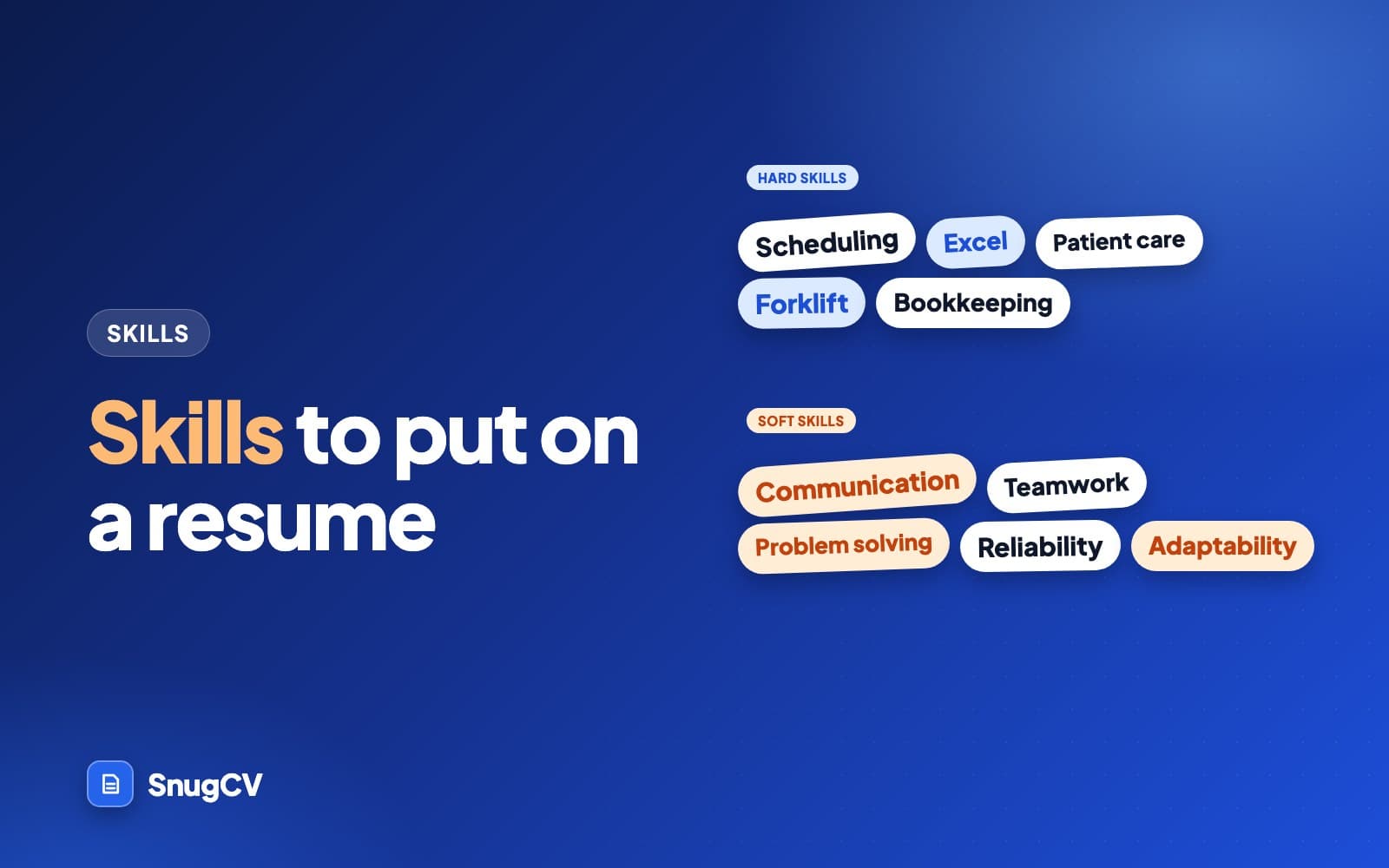
Career sites use many labels, but three are enough to decide what goes where.
Teachable and testable
Hard skills
Specific abilities and knowledge learned through training or practice. Bank reconciliation, forklift operation, Excel, medication administration, Spanish, blueprint reading.
Where it goes: the skills list, and again inside bullets.
How you work
Soft skills
Ways of working that show up in every job: communication, reliability, teamwork, adaptability. They are hard to measure and easy to claim.
Where it goes: inside bullets as evidence. In the list only when a posting asks for it.
Carries between jobs
Transferable skills
Skills built in one setting that apply in another: scheduling, training others, handling cash, resolving complaints. They can be hard or soft.
Where it goes: wherever the new posting uses the same idea, in the posting's words.
A quick test separates hard from soft. If someone could watch you do it, or test you on it, it is a hard skill. If they could only tell by working next to you for a month, it is soft. "Reconciles a till to the cent" can be watched. "Reliable" cannot, which is why it needs a story.
Tools and credentials are hard skills with their own habits. Name the specific product you have used (not "software"), keep licenses and certifications in a section of their own where a screener can find them, and put languages in a short line with a level.
A rule of thumb for size:
8 to 15
A common range for a general skills list. Longer lists need groups.
2 to 4
Groups when the list runs longer, such as tools, methods and languages.
2 minutes
How long you should be able to talk about any skill you list.
Build a master list once
Do this exercise one time and every application after it starts from a list instead of a blank page. It takes about half an hour with your old resume and any job descriptions you have kept.
- Go through each job, newest first, and write down every tool, system, machine and method you used, including the ones that feel too small to mention.
- Add training, certifications and licenses, with the issuer and the year.
- Add languages, each with an honest level.
- Add the duties you repeated in every job, in plain words: scheduling, cash handling, training new staff.
- Group the result by type and mark each line you could demonstrate tomorrow.
- Cross out anything you could not discuss for two minutes.
The marked list is your master. For each posting you copy the lines it asks for, in its order, and leave the rest in reserve. A master list of a few dozen lines is normal, and any one resume uses a small slice of it. Here is that split for Dana, a made-up applicant with two years part-time in a leasing office and three years in retail. The next section shows the posting Dana is answering.
22 lines, kept for reference
Dana's master list
Tools: Excel, Word, Outlook, Google Sheets, Canva, property management software, Square POS
Duties: lease administration, rent collection and receipts, work order tracking, resident communication, cash handling, till reconciliation, visual merchandising, inventory counts, opening and closing procedures, training new staff, social media posts
Languages and credentials: Spanish (conversational), English (native), CPR (current), Notary public
9 lines, the posting's terms first
Dana's list for one posting
Lease administration, rent collection and receipts, work order tracking, resident communication, property management software, Excel (formulas, pivot tables), Spanish (conversational), Outlook, cash handling
The other 13 lines stay in reserve until a posting asks for them.
How to choose skills from a posting
Your skills list is a reply to one posting, so it only needs the skills that posting cares about. The method takes about ten minutes.
- 1
Read for nouns
Underline every tool, method, credential and duty in the posting.
- 2
Split hard from soft
Tools and methods go on one list, qualities such as organized or calm on another.
- 3
Match to proof
Write one real example next to each hard skill you have.
- 4
Order by the posting
Put the posting's most repeated skills first, in its words.
- 5
Trim to what you can discuss
Cut every skill you could not explain with an example.
Here is a made-up posting with the skills marked, followed by what Dana does with it.
Job posting (made up for this guide)
Assistant Property Manager, Willow Court Apartments
Support the property manager in the daily running of a 140-unit community. Handle lease administration and rent collection, process maintenance work orders and respond to resident questions and complaints in person, by phone and by email. Maintain records in property management software and prepare weekly occupancy reports in Excel. 1+ year in property management, leasing or customer service. Spanish a plus. Must be able to handle sensitive information and stay organized across many small tasks.
| Posting phrase | Type | What goes in Dana's skills list | Where the proof lives |
|---|---|---|---|
| Lease administration | Hard | Lease administration | A bullet on renewals and move-in paperwork |
| Rent collection | Hard | Rent collection and receipts | A bullet on daily deposits |
| Maintenance work orders | Hard | Work order tracking | A bullet on logging and following up requests |
| Property management software | Tool | The product Dana actually used, by name | The same bullets, which name the software |
| Weekly occupancy reports in Excel | Hard and tool | Excel (formulas, pivot tables) | A bullet on the weekly report |
| Resident questions and complaints | Hard and soft | Resident communication | A bullet on a resolved complaint |
| Spanish a plus | Language | Spanish (conversational) | Nothing more is needed. An honest level is enough |
| Organized across many small tasks | Soft | Not listed | A bullet that shows the system Dana built |
Two things to notice. Soft requirements such as organized move into bullets, where they can have evidence. And every row that makes the list has proof behind it: a posting phrase Dana could not support would get no row at all. For that kind of gap, see the three honest options in how to find the keywords in a job description.
Skills by field
Use these lists as a menu. Choose the lines that describe work you have actually done, rename them to match the posting, and ignore the rest. Soft skills are left out on purpose, and a later section shows how to prove them.
Nursing and patient care
Clinical skills are the keywords in this field, and licenses sit beside them in their own section. Name the charting system you have used, such as Epic or Cerner, only where that is true.
Skills and tools
- Patient assessment
- Vital signs
- Medication administration
- IV therapy
- Wound care
- Catheter care
- Telemetry monitoring
- Triage
- Care planning
- Charting and documentation
- Electronic health records
- Infection control
- Fall prevention
- Patient and family education
- Shift handover
- Patient advocacy
Medical office and health administration
These postings screen on systems, coding and privacy rules. List the billing and coding standards you have worked with, because the word billing alone says little.
Skills and tools
- Appointment scheduling
- Patient registration
- Insurance verification
- Prior authorizations
- Medical billing
- ICD-10 and CPT coding
- Claims follow-up
- Copay collection
- Referral coordination
- EHR data entry
- HIPAA compliance
- Medical terminology
- Records management
- Phone triage
- Patient check-in
- Supply ordering
Teaching and education
Postings repeat a handful of method words. Use the ones that describe your own practice, and add a grade level or subject so the reader can place you.
Skills and tools
- Lesson planning
- Standards-aligned curriculum
- Differentiated instruction
- Formative assessment
- Classroom management
- Small-group instruction
- IEP implementation
- Reading intervention
- Progress monitoring
- Rubric design
- Behavior intervention
- ESL strategies
- Parent communication
- Google Classroom
- Learning management systems
- Technology integration
For a version of this list built around a full teaching resume, see teacher resume examples.
Retail and the sales floor
Counting and cash are the proof words here. A skills line that names the system you rang through is stronger than "customer service".
Skills and tools
- Point-of-sale operation
- Cash handling
- Till reconciliation
- Receiving and stocking
- Inventory counts
- Visual merchandising
- Planogram setup
- Price changes and markdowns
- Loss prevention
- Returns and exchanges
- Upselling and add-on sales
- Loyalty program enrollment
- Product knowledge
- Complaint resolution
- Opening and closing procedures
- Training new associates
Customer service and call center
Metrics and systems carry weight in this field. If you know the targets you worked to, such as first-call resolution or handle time, say so in the bullets. In the list, name the channels and the tools.
Skills and tools
- Inbound call handling
- Live chat support
- Email support
- De-escalation
- First-call resolution
- CRM data entry
- Ticketing systems
- Knowledge base use
- Refunds and billing adjustments
- Order tracking
- Product troubleshooting
- Escalation handling
- Call documentation
- Quality scorecards
- Typing speed
More ways to present this work are in customer service resume examples.
Food service and hospitality
Safety training and volume are the screens. A food handler card goes in the credentials section, and the station or service type goes in the skills list.
Skills and tools
- Food safety and sanitation
- Allergen awareness
- Table service
- POS systems
- Cash and card handling
- Menu knowledge
- Prep and mise en place
- Grill and saute stations
- Portion and cost control
- Inventory and ordering
- Bartending and cocktail prep
- Event service
- Reservation systems
- Guest check-in
- Housekeeping standards
- Opening and closing duties
Skilled trades and construction
Pick the lines for your own trade. A mixed list reads as a person who has watched several trades. Put cards, licenses and logged hours in a separate section where a foreman can find them.
Skills and tools
- Blueprint reading
- Measuring and layout
- Conduit bending
- Panel installation
- Circuit troubleshooting
- Framing
- Finish carpentry
- Drywall finishing
- Welding (MIG and TIG)
- Pipe fitting
- Soldering and brazing
- Refrigerant handling
- Power and hand tools
- Material estimating
- Code compliance
- Job site safety
- Equipment operation
Warehouse, logistics and driving
Equipment and compliance are the keywords. Name the equipment type and the systems, then keep the endorsement or license in its own section.
Skills and tools
- Forklift operation
- Order picking and packing
- RF scanner use
- Warehouse management systems
- Receiving and put-away
- Cycle counting
- Pallet building and wrapping
- Shipping and labeling
- Load planning
- Dock operations
- Inventory control
- Pre-trip inspections
- Hours-of-service logs
- Route planning
- DOT compliance
- Hazmat handling
Office and administration
Postings here name software almost line by line. List the programs with the task, so Excel becomes Excel (formulas, pivot tables) and Outlook becomes Outlook (shared calendars).
Skills and tools
- Calendar management
- Travel booking
- Expense reports
- Meeting minutes
- Microsoft Outlook
- Excel (formulas, pivot tables)
- Word (mail merge, templates)
- SharePoint
- Document formatting
- Filing and records management
- Data entry accuracy
- Reception and visitor management
- Phone systems
- Mail handling
- Vendor coordination
- Confidential document handling
Finance and accounting
Finance readers look for process words and the systems behind them. Name the ledger tool, the close cycle and the volume where you can.
Skills and tools
- Accounts payable
- Accounts receivable
- Bank reconciliation
- General ledger entry
- Month-end close
- Invoice processing
- Purchase order matching
- Payroll processing
- Sales tax filing
- Accruals
- Budget tracking
- Variance analysis
- Financial reporting
- Audit support
- QuickBooks
- Excel (lookups, pivot tables)
Sales
Sales postings name stages of a process. Listing the stages you have owned, from prospecting to renewal, is clearer than "sales skills".
Skills and tools
- Prospecting
- Cold calling
- Lead qualification
- Discovery calls
- Product demos
- Quoting and proposals
- Negotiation
- Objection handling
- Closing
- Pipeline management
- CRM updates
- Account management
- Contract renewals
- Upselling
- Territory planning
- Forecasting
Marketing and communications
The skills here are visible in work samples, so pair the list with links or a portfolio where the field expects one. The tools you name should be ones you have used for real campaigns.
Skills and tools
- Email campaigns
- Social media scheduling
- Content calendars
- Copywriting
- Editing and proofreading
- Newsletter production
- Press releases
- SEO basics
- Google Analytics
- Campaign reporting
- A/B testing
- Brand guidelines
- Basic graphic design (Canva)
- Photo and video editing
- CMS publishing
- Audience research
IT support and software
Tech postings are strict about named tools. If you are in support, list the systems and ticket tools. If you are a developer, list languages and frameworks you could be asked about, in the order you are strongest.
Skills and tools
- Windows and macOS support
- Microsoft 365 administration
- Active Directory
- Password and access management
- Ticketing systems
- Hardware troubleshooting
- Network basics (DNS, DHCP)
- VPN support
- Device imaging and setup
- Remote support tools
- Knowledge base writing
- Python
- SQL
- Git
- REST APIs
- Unit testing
Human resources
HR postings often name an HRIS and employment forms. Mention the ones that belong to your country, for example I-9 verification in the United States.
Skills and tools
- Recruiting coordination
- Job posting and screening
- Interview scheduling
- Offer letters
- Onboarding
- I-9 verification
- Background check coordination
- Benefits enrollment
- HRIS data entry
- Payroll support
- Leave administration
- Employee records
- Policy documentation
- Compliance training tracking
- Exit interviews
Human services and community work
The strongest lines here are the ones that match a funder's or a program's own language. Documentation skills count for a lot, because the work has to be recorded.
Skills and tools
- Intake interviews
- Case notes and documentation
- Service planning
- Resource referral
- Crisis de-escalation
- Motivational interviewing
- Trauma-informed care
- Group facilitation
- Home visits
- Housing placement support
- Mandated reporting
- Outreach
- Volunteer coordination
- Program reporting
- Case management software
Write each skill so a search and a person can both read it
A search for a skill matches text, and a person reads the line in a second. A few habits make one line work for both.
- Spell out a term the first time and add the short form, such as electronic health records (EHR) or search engine optimization (SEO). A search for either form finds it.
- Use the name of the thing and skip your employer's nickname for it. If your team called the ticket tool Atlas, write ticketing system (Atlas) so the category is visible.
- Use the posting's version when it describes your skill accurately. If the posting says customer service and you wrote customer relations, change it.
- Keep products separate with commas, and keep the list in plain text. Icons, rating graphics and multi-column tables can be read out of order or dropped by some systems, as ATS-friendly resume explains.
Before
MS Office
After
Microsoft Excel (formulas, pivot tables), Outlook (shared calendars)
Names the products and the task, so a search for Excel finds it and a person sees the level.
Before
Customer relations
After
Customer service (phone, counter and email)
The posting's term, plus the channels you worked in.
Before
Atlas
After
Ticketing system (Atlas)
An internal name means nothing to a new reader. The category does.
Before
EHR
After
Electronic health records (EHR), Epic
Both forms of the term, plus the product, when you have really used it.
Where skills go on the page
The skills list is one placement. A skill that appears in three places is easier to find and easier to believe than a skill that appears once.
Header
Maya Torres
Summary
Skills
Experience
Education
- 1The skills section is where a screener or a search finds named tools and methods at a glance.
- 2The summary can name the top two or three, so the first lines carry the fit.
- 3The bullets show each one in use. That is the proof, and it is where soft skills live.
The shape of the list matters too. A single line works for under eight skills. Beyond that, group them and put the strongest group first.
- 1
Excel (formulas, pivot tables), Outlook (shared calendars), SharePoint, QuickBooks
Software
Tools first, each with the task. This group matches the software lines a posting is most likely to name.
- 2
Calendar management, travel booking, expense reports, vendor coordination, supply ordering
Office operations
Duties in the posting's vocabulary. Each should appear again in a bullet.
- 3
Filing systems, confidential document handling, data entry accuracy
Records
A small group for the quiet strengths of the job.
- 4
English (native), Spanish (conversational)
Languages
Plain level words. No bars or stars.
Template for your own list, if you want a starting shape:
Template: grouped skills section
Software: [tool (what you do in it)], [tool (what you do in it)], [tool]
Core skills: [duty from the posting], [duty from the posting], [duty from the posting], [duty from the posting]
Specialist skills: [method, process or standard you work to]
Languages: [language (level)], [language (level)]
If you are weighing the position of the section, a short skills list near the top suits resumes where the posting screens on tools or certifications, such as IT, trades and healthcare. Experience-led resumes in teaching, retail and office work often do better with skills after the jobs. Section order is one of the choices covered in how to choose your resume template, font and section order.
How the list changes with experience
The same skills section does different work at different stages.
Under 3 years or so
Early career
Lead with the tools and methods you have actually used, from school and first jobs. Keep the list short and make sure every line has a bullet or a project under it. Certifications count for more here.
A few years in
Mid-career
Put specialist skills first and group by type. Trim the basics you now use without thinking. Replace general labels with the specific methods and standards you work to.
Long track record
Senior
Use fewer, larger skills: budget ownership, hiring, vendor negotiation, compliance, safety audits. Name tools only when the posting does, because your experience section carries the rest.
Show soft skills in bullets, not in a list
A list of soft skills is easy to write and hard to believe. "Excellent communicator" is a claim. A sentence that says who you explained what to, and what happened, is evidence. The fix is to write the bullet and let the skill show.
Before
Excellent communication skills.
After
Explained billing changes by phone to about 30 patients a week, and wrote the one-page handout the front desk still hands out.
A label becomes an audience, a frequency and something that lasted. (Medical office.)
Before
Team player who works well with others.
After
Built the holiday shift-swap sheet with five other servers so every section stayed covered through December.
Teamwork is a shared goal and what you personally did to move it. (Restaurant.)
Before
Strong problem-solving skills.
After
Traced repeated pick errors to two near-identical bin labels, relabeled the aisle and cut mispicks there from about 8 a week to 1.
A problem, a cause, a fix and a result is the whole story. (Warehouse.)
Before
Natural leader.
After
Led a crew of four through a 3-week kitchen remodel, assigned daily tasks and walked the homeowner through progress each Friday.
Leadership shows up as the size of the group and what they delivered. (Trades.)
Before
Adaptable and flexible.
After
Rebuilt 20 lessons for online teaching in one week when the school closed, then trained two colleagues on the video platform.
Adaptability is a change you absorbed and how quickly you were working again. (Teaching.)
Before
Excellent time management.
After
Completed 15 to 20 client intakes a week alongside a caseload of 35, with every file finished by the funder's deadline.
Volume and a deadline make time management something a reader can picture. (Human services.)
Before
Detail-oriented.
After
Matched about 400 invoices a month against purchase orders and caught duplicate payments before they went out.
Attention to detail is a count and a catch. (Accounts payable.)
Before
Customer-focused professional.
After
Handled returns and complaints at the service desk of a 24-hour grocery store and flagged repeat product faults to the buyer, which led to one supplier being replaced.
Customer focus is what you did for the customer and for the next one. (Retail.)
To find the evidence for your own soft skills, work from the table.
| Soft skill | What the evidence looks like | A question that finds it |
|---|---|---|
| Communication | Who you explained what to, how often, and what changed | Who relied on you to explain something? |
| Teamwork | A shared goal and what you did to move it | When did you cover, train or hand off for someone? |
| Problem solving | A problem, your action and what stopped happening | What kept going wrong until you fixed it? |
| Leadership | The size of the group and what they delivered | Who did you train, schedule or direct? |
| Adaptability | A change in tools, rules or role and how fast you recovered | What changed that you had to learn on the job? |
| Reliability | Coverage, opening alone, keys, a long run without a missed shift | What did people trust you to do alone? |
| Time management | Volume and deadlines held at once | What did you juggle, and when was it due? |
Resume bullet points has the full formulas for writing these lines, and resume action verbs lists strong ways to open them.
Computer skills without saying Microsoft Office
"Proficient in computers" and "Microsoft Office" are common lines in skills sections, and they say little. A reader cannot tell whether you open attachments or build budget models. Name the program and the thing you do in it.
| Area | What to name | An example line |
|---|---|---|
| Spreadsheets | The program and what you build | Excel (formulas, pivot tables, charts) |
| Documents and email | The program and the document type | Word (templates, mail merge), Outlook (shared calendars) |
| Presentations | The program and the audience | PowerPoint (client presentations of 10 to 20 slides) |
| Databases and reports | The system and the output | SQL (weekly reports from customer tables) |
| Industry software | The product, by name | QuickBooks, Epic, AutoCAD, a point-of-sale system |
| Collaboration tools | The tool and how a team used it | Microsoft Teams, Google Workspace (shared drives) |
| Typing and data entry | A speed only when the posting asks, plus accuracy | Data entry (65 words per minute, tested) |
When a posting names a product you have not used but you have used its category, say so honestly. A line such as "CRM software (HubSpot)" is true if HubSpot was your CRM, and it tells a reader you can learn the posting's product. Writing the posting's product name next to your own experience of a different one is a claim you will be asked about.
Skill levels, ratings and years
A skills list invites a question: how good are you? There are honest ways to answer in a line and dishonest ways to answer with a graphic.
Say it in words
- Name the task with the tool: Excel (pivot tables, lookups, charts)
- Use plain level words for languages: native, fluent, conversational, basic
- Add years only where they help, such as Python (5 years)
- Use certificates and dates for formal levels: CPR (current), Forklift (2025)
- Let a bullet carry the proof for anything you call advanced
Skip these
- Bars, dots or stars that have no shared scale
- Percentages such as 90 percent Excel
- Labels such as expert for a skill you used last year
- Levels you cannot explain if the interviewer asks
- Graphics at all, because some systems cannot read them and the text is lost
For languages, a small table keeps the words honest.
| Level word | What it means | Use it when |
|---|---|---|
| Native | The language you grew up speaking | It is your first language |
| Fluent | You work, argue and joke in it without effort | You could do the job in it all day |
| Professional working proficiency | You can handle meetings and documents with occasional help | You use it at work, with some limits |
| Conversational | You can hold an everyday conversation | You could greet and assist a customer |
| Basic | You know words and phrases | You are learning and say so |
Many European employers use the A1 to C2 scale, and a level such as B2 helps there. If the posting asks for a language as a plus, an honest conversational level can still count, and you can offer to show it in the interview.
Transferable skills when you change fields
When you move to a new field, your skills list does a different job: it translates. The old duty and the new posting often describe the same thing in different words, and the list is where you choose the new word.
| If your work was | The skill that carries over | A new posting may call it |
|---|---|---|
| Restaurant server | Handling many demands at once, taking payments, selling add-ons | Customer service, sales support, POS, multitasking |
| Classroom teacher | Explaining, planning, assessing, talking to parents | Training, onboarding, curriculum development, stakeholder communication |
| Retail manager | Scheduling, inventory, loss prevention, coaching | Operations coordination, inventory control, team leadership |
| Warehouse associate | Count accuracy, safety, equipment | Supply chain, quality control, safety coordination |
| Administrative assistant | Calendars, documents, vendor contact | Project coordination, executive support, office operations |
| Nurse | Assessment, documentation, patient teaching, prioritizing | Clinical documentation, health coaching, case management |
The test is the same as for any keyword. If you did the work, the new word is a translation, and you can describe what you did in it for two minutes. If you did not, it is a claim. Career change resume goes further into mapping old work onto a new posting.
What to leave off
Space is limited, so each line should earn its place. Some skills take up room and tell the reader nothing.
Usually better left off
- Internet research
- Basic computer skills
- Typing (unless a speed is asked for)
- Social media (as a general skill)
- Hard worker
- Quick learner
- Multitasking (as a bare label)
- Microsoft Word on its own
- Software you have not touched in years
- Skills from a field you left long ago
- Hobbies with no link to the job
The reasoning behind each one is the same. A baseline skill is assumed, so naming it can read as padding. A soft label has no evidence. An outdated tool signals that your knowledge may also be dated. And a skill you cannot discuss is a liability: it hands the interviewer a question you cannot answer.
There is one exception worth stating. When a posting names a baseline skill outright, such as typing speed for a data entry role or Word for a document-heavy office job, list it with the specific thing you do, and be ready for a test.
When you have no work history
People starting out often feel they have no skills. They have skills from places that do not look like jobs.
Where to look
Coursework and projects
Software, equipment or methods you used in class: spreadsheets for a budget project, a lab technique, a design program. Name the tool and the output.
Where to look
Volunteering
Sorting donations, running a front table, tutoring, coaching. These show scheduling, cash handling, patience and reliability, with real numbers of people served.
Where to look
Part-time and informal work
Babysitting, lawn care, family business help, odd jobs. A list of recurring clients is evidence of reliability and trust.
Where to look
Self-taught skills
A language, a coding course, a camera, a sewing machine. Include them when you can name something you made or did with them.
Each of these still needs a bullet so the skill has an example behind it. Resume with no experience covers the rest of the page.
Common mistakes
Do
- Start from the posting and check each skill against your history
- Group the list by type once it passes eight items
- Put the strongest group first
- Keep one master list and trim it for each application
- Make sure each skill appears again in a bullet, where it is shown in use
- Keep licenses and certifications in their own section
Avoid
- Copy the posting's whole skills list into yours
- Pile 40 skills into one block
- Mix tools, soft labels and credentials on a single line
- List a tool you touched once
- Rely on the skills section alone, with no bullet to back it up
- Say you have a skill the posting names when you do not
A checklist before you send
Skills check
0 of 8 done
Where SnugCV fits
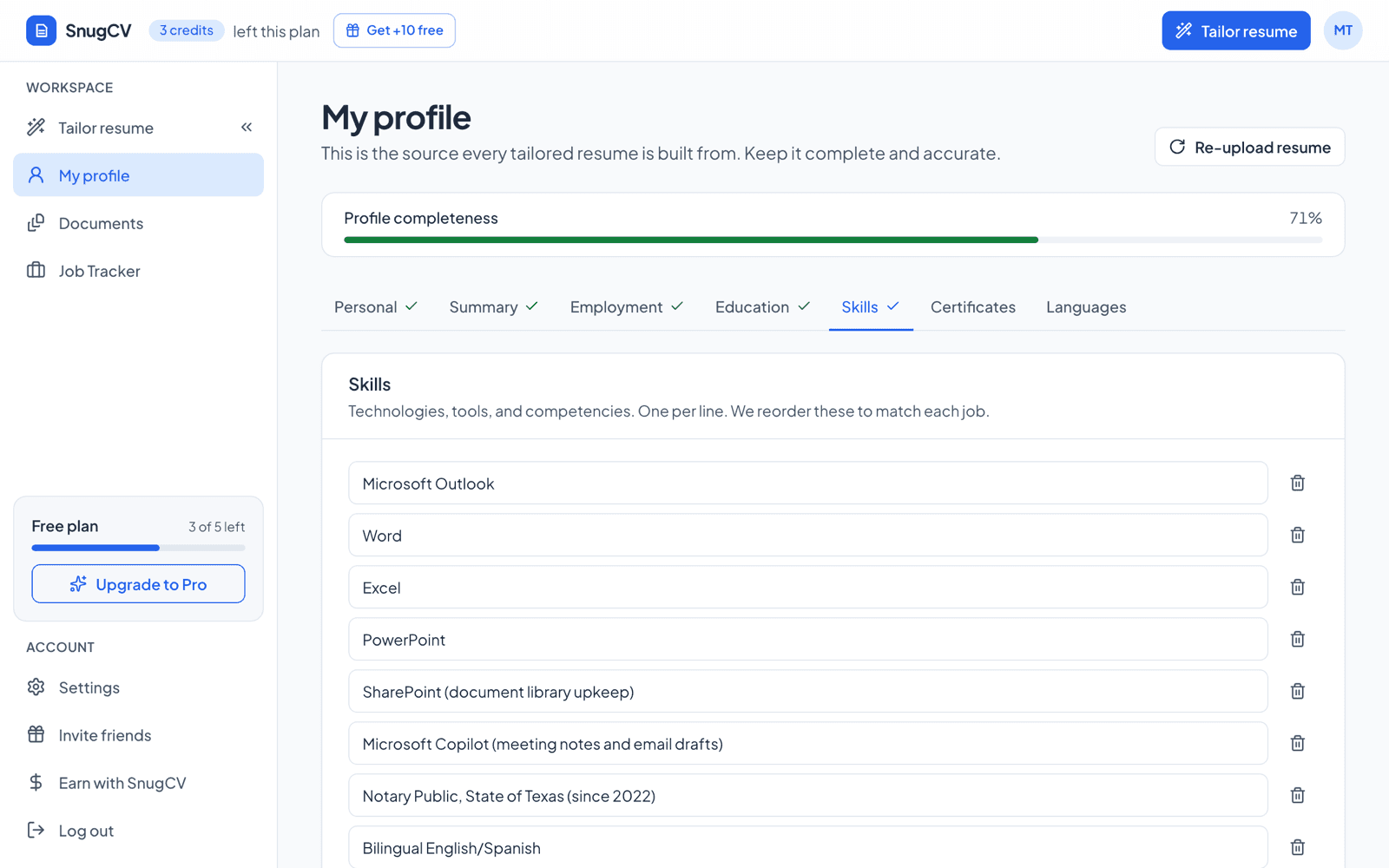
Your SnugCV profile has a Skills tab, one skill per line, which you fill in once from your uploaded PDF resume. When you paste a posting, tailoring reorders those skills to match it and rewrites the bullets in the posting's language. Then the matched keywords and gaps panels show which of the posting's skills your profile supports and which it does not, so you can add a true skill you forgot or leave a gap alone. Nothing is added that is not in your history.
How to read your tailored resume explains what the matched keywords and gaps mean.
Keep going
Skills and the summary work as a pair: the summary names the top two or three, the list holds the specifics, and the bullets prove both. Resume summary examples covers the opening block, and resume bullet points covers the lines under each job. For the words themselves, see resume keywords and how to tailor your resume to a job posting in about a minute.
Questions people ask
How many skills should I put on a resume?
A common range for a general list is 8 to 15 skills, with groups once you pass about eight. Quality matters more than count. A short list that matches the posting and that you can discuss beats a long block copied from a template. Trim your master list for each application so the strongest matches sit first.
Should I list soft skills in the skills section?
Mostly no. A label such as teamwork is easy to claim and gives the reader nothing to check. Put the evidence in your bullets instead. If a posting names a soft skill as a requirement, you can list one or two of them, but make sure a bullet below shows each one in use.
Is Microsoft Office a skill worth listing?
Name the programs and what you do in them, such as Excel (pivot tables, lookups) or Outlook (shared calendars). A bare Microsoft Office line is baseline for most office jobs and says little. If a posting asks for Word or Excel by name, list them, ideally with the task you used them for.
Where does the skills section go on a resume?
Most people put it after the summary or after the experience section, depending on what is stronger. In trades, driving and healthcare, certifications and tools often come first because the posting screens on them. Whichever you choose, the skills should appear again inside your bullets so a reader can see them in use.
What skills can I list with no work experience?
List what you have actually used: tools from school projects, skills from volunteering, part-time or informal work, languages, and certifications. Say how you used each one in a short bullet under a project or volunteer entry. Skills with no example behind them are weak even on an experienced resume, and they are weaker on a short one.
How do I show how good I am at a language?
Use plain words that name a real level: native, fluent, professional working proficiency, conversational or basic. Many European employers use the A1 to C2 scale, so a level such as B2 helps there. Do not use bars or stars, because they have no shared meaning and invite a question you may not want to answer.
Should I copy the skills list from the job posting?
Use the posting's wording for skills you have, and leave out the ones you do not. Pasting the whole list gives the reader a resume that mirrors the posting without any proof behind it, and the interviewer will ask about each item. Match each skill you keep to an example from your history first.
Was this guide helpful?
Get the free resume checklist and new guides
Twenty checks to run before you send a resume, as a one-page PDF. After that, a short email when new guides go up, at most once a week.